 | ||
SCView allows users to quickly total numeric columns directly from Workflow. This can help users review amounts without needing to export the data or calculate totals manually.
How to Total a Numeric Column
- Open Workflow.
- Select the applicable workflow queue.
- Locate the numeric column you want to total.
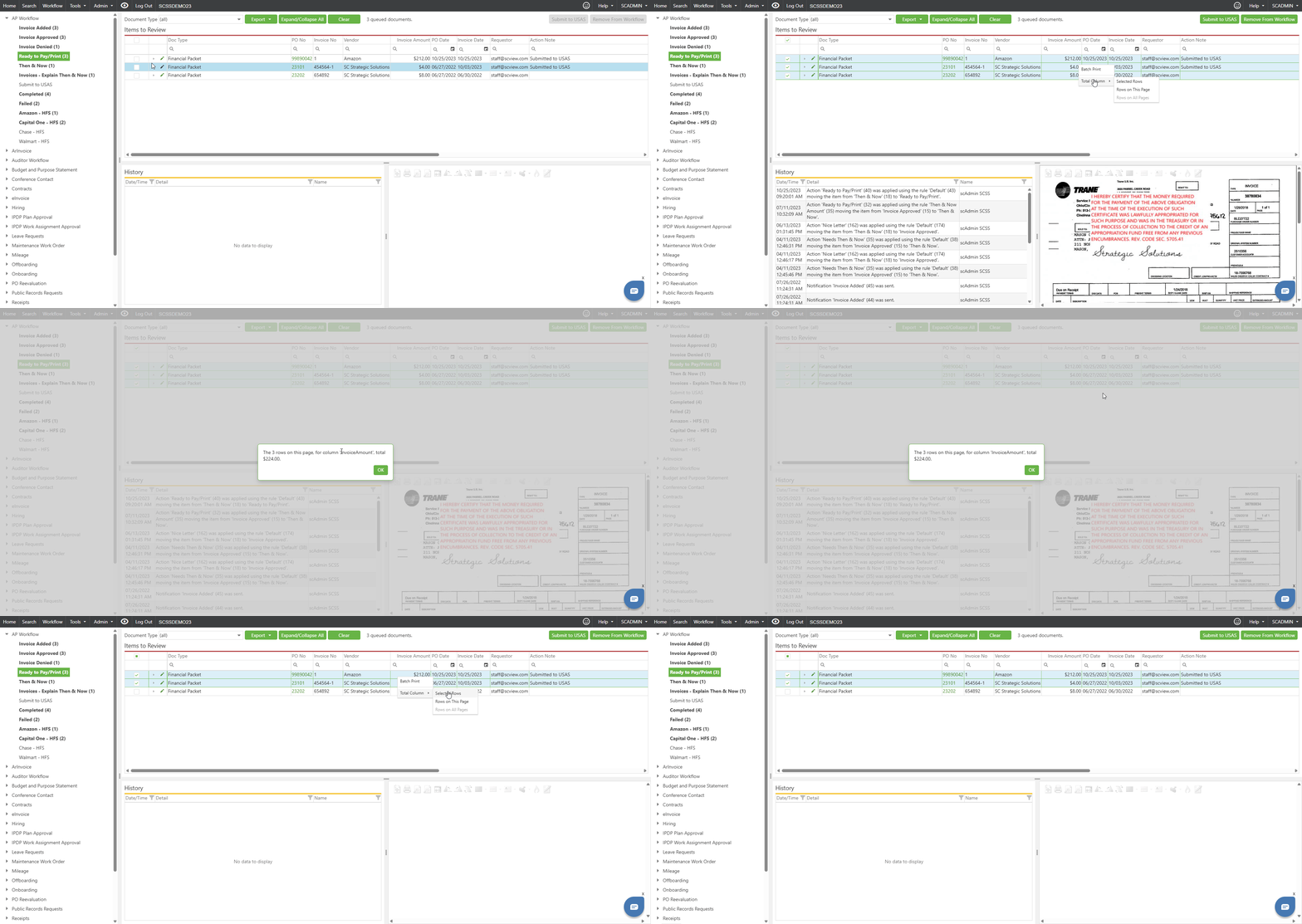
- Right-click on the column.
- Select Total Column.
- Choose one of the available options:
- Selected Rows
Totals only the rows you have selected. - Rows on This Page
Totals all visible rows currently shown on the page. - Rows on All Pages
Totals rows across all pages when multiple pages exist.
- Selected Rows
- Review the total in the dialog that appears.
- Click OK to close the total dialog.
Important Notes
- The Total Column option is available for numeric columns only.
- Use Selected Rows when you only need a total for specific items. Use Rows on This Page or Rows on All Pages when you need a broader total.
- If filters are applied, review the results before totaling to make sure the correct rows are included. This helps ensure the total reflects the documents or rows you intended to review.
Best Practice
Before using Rows on All Pages, confirm that your search filters and queue results are accurate. This helps ensure the total reflects the documents or rows you actually intended to include.
Was this article helpful?
That’s Great!
Thank you for your feedback
Sorry! We couldn't be helpful
Thank you for your feedback
Feedback sent
We appreciate your effort and will try to fix the article