 | ||
Introduction
Provide a brief overview of the article content and what the reader can expect to learn.
A. Problem Statement
Describe the problem or issue that the article will address. This should be a specific issue that your readers may be experiencing or need help with.
B. Solution
To follow along with this guide, please use the main navigation bar to navigate to Admin > Document Types.
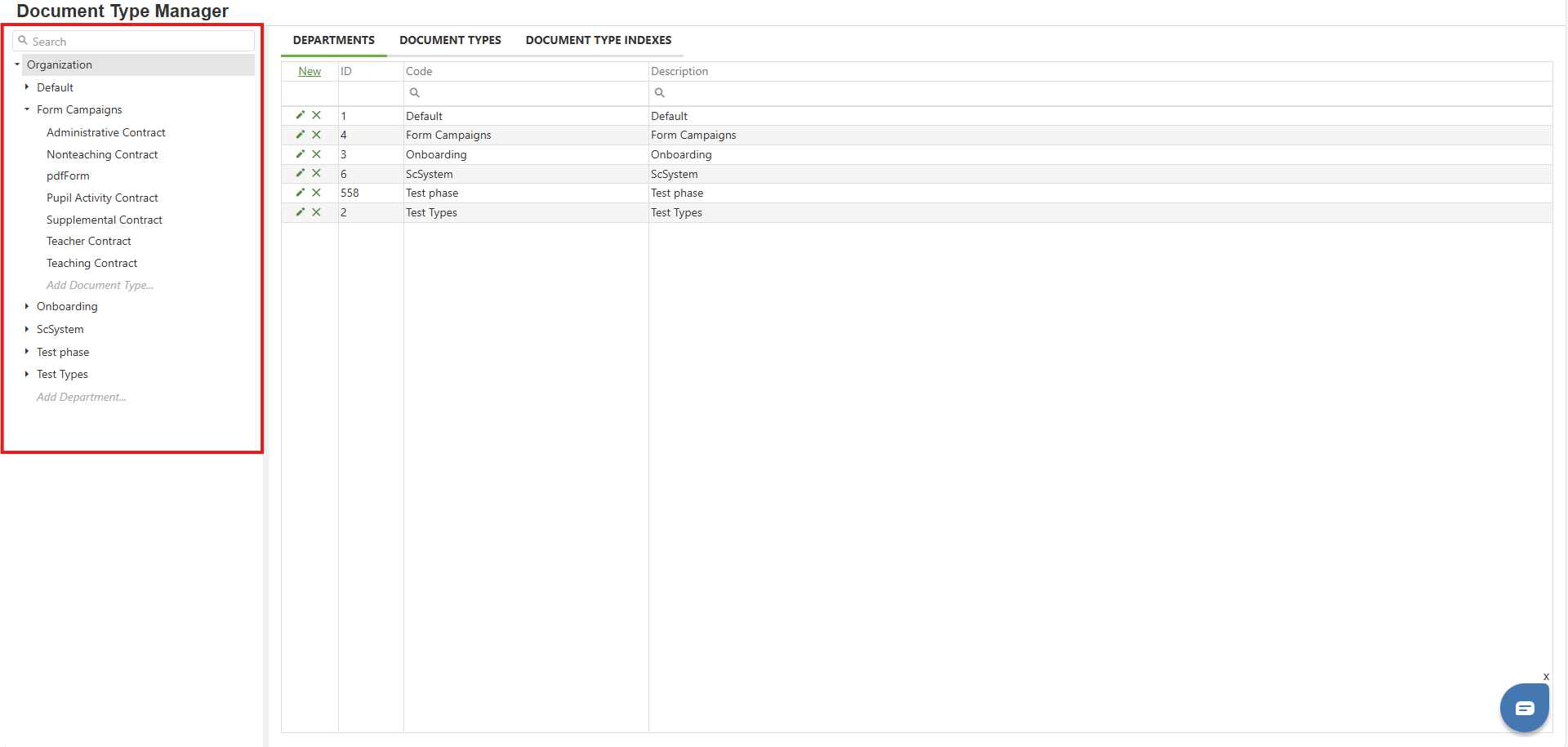
Step 1: Anatomy of the Document Type Manager - Overall and Left Panel
The Document Type Manager is divided into two sections: a hierarchy on the left, and a panel to the right that updates based on what on the left is selected. As the left panel is always available, let's break it down before digging into the various right panel displays.
Hierarchical List -
Search Bar -
Image: Document Type Manager
Step 2:
Insert information and an image or video on step two here
Step 3:
Insert information and an image or video on step three here
CONTINUE FOR HOWEVER MANY STEPS ARE NEEDED!
C. Best Practices
Provide recommendations and best practices to help readers optimize the solution and get the most out of it.
D. Troubleshooting
List and hyperlink any common issues or challenges that readers may encounter when implementing the solution, along with troubleshooting tips to help them resolve the issue.
E. Related Articles
Include links to related articles or resources that may be helpful to the reader.
Conclusion
Summarize the key points of the article and restate the solution to the problem. Encourage the reader to take action and implement the solution.
has context menu
Was this article helpful?
That’s Great!
Thank you for your feedback
Sorry! We couldn't be helpful
Thank you for your feedback
Feedback sent
We appreciate your effort and will try to fix the article