
 | ||
Introduction
Welcome to the SCView Financial Dashboard, a cutting-edge tool designed to revolutionize your approach to financial management and data visualization. The dashboard allows you to see real-time insights at a glance, and create and print custom reports that fit your criteria needs.
A. Problem Statement
In today's fast-paced business environment, managing vast amounts of financial data can be overwhelming, leading to delayed decision-making and potential inaccuracies in financial assessments. Organizations often struggle with disjointed data sources, lack of real-time visibility, and inefficient reporting mechanisms.
B. Solution
The SCView Financial Dashboard addresses these challenges by providing a unified platform for financial data visualization and management. The dashboard provides an overview of the cash position using detailed and summary financial data.
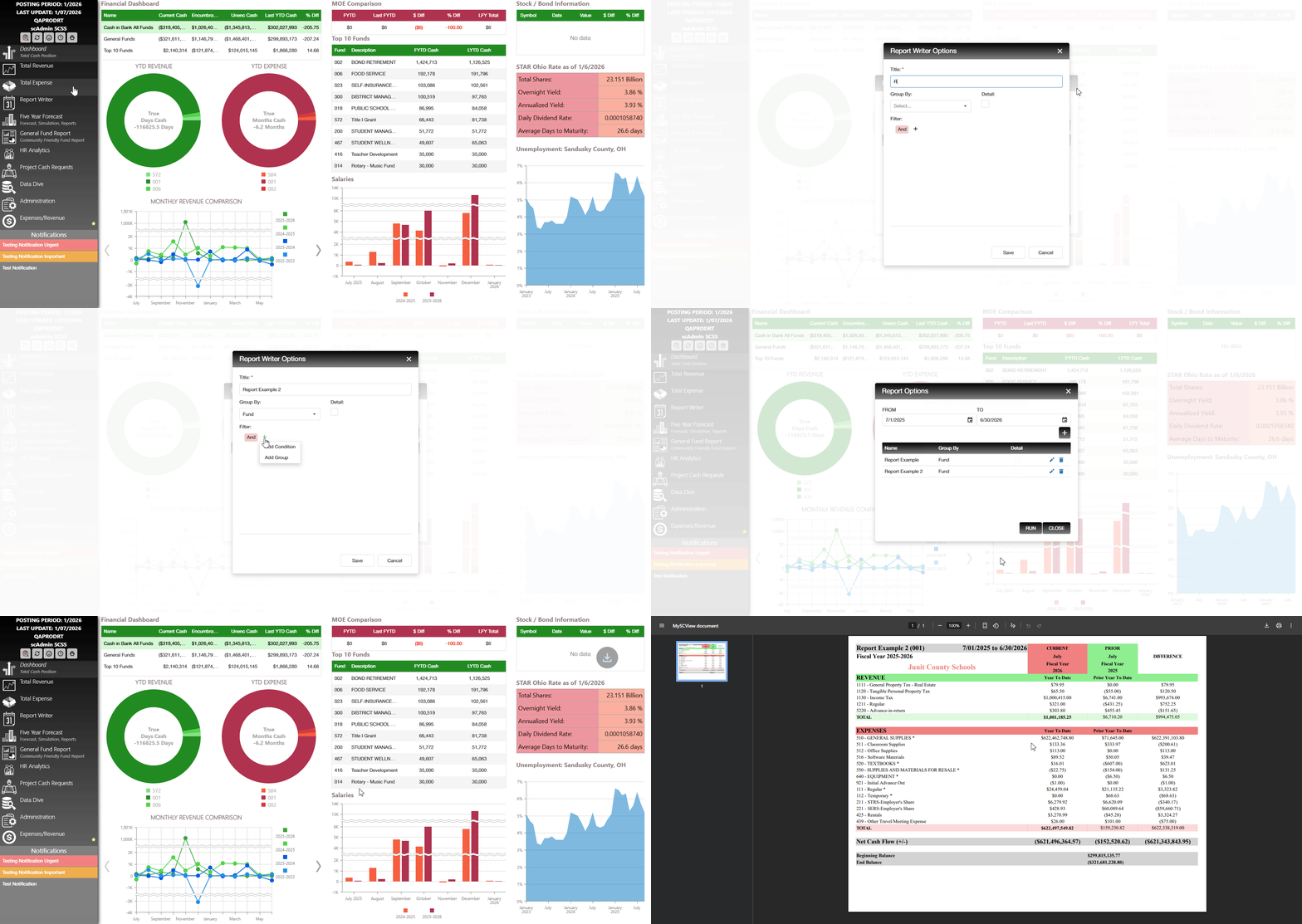
Report Writer
Enables creation of customizable reports selectable by date range, name, grouping, and filters, downloadable in PDF format.
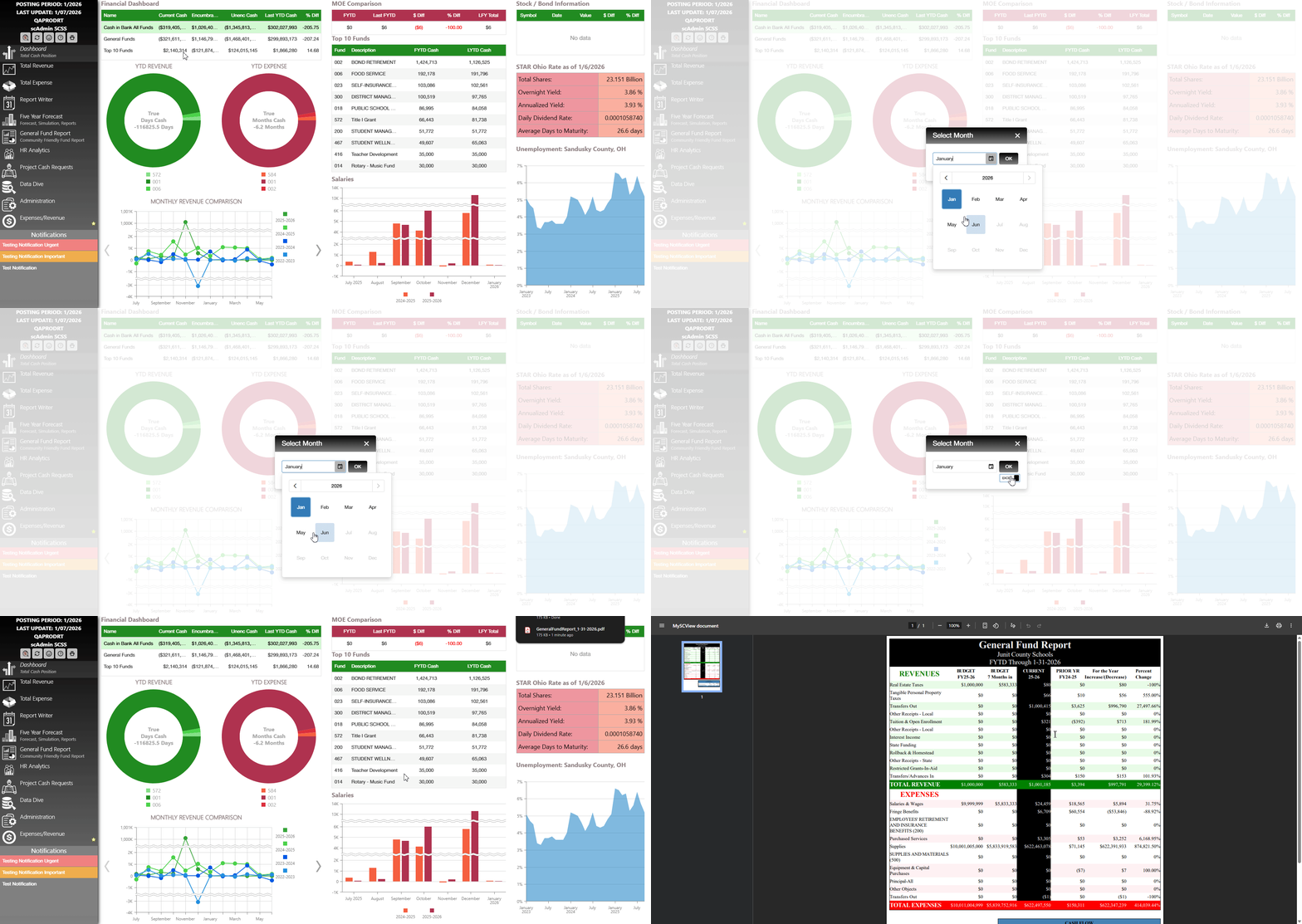
General Fund Report
Highlights relevant general fund data comparing current and previous fiscal years, alongside budget information.
Available to export in both PDF and Excel format with neatly spaced headers for readability.
C. Best Practices
- Regularly Refresh Data: Utilize the functional buttons to frequently update the dashboard with the latest data from USAS to ensure you're working with the most current information.
- Drill Down for Details: Utilize the drill-down functionality to explore detailed data beneath summary figures. This deeper dive can uncover insights that might be missed in a high-level overview.
- Customize Your Dashboard: Use the configurable elements to tailor the dashboard interface and functionalities to better meet your organizational needs, optimizing user experience and accessibility.
D. Troubleshooting
- Data Not Updating: Ensure that the dashboard is connected to the internet, and check if there's an issue with the USAS data source. Use the refresh button to attempt re-syncing the data.
- Incorrect Report Outputs: Revisit the custom report settings for any misconfigurations. Verify filters, groupings, and date ranges to ensure correctness.
- Display Issues: If graphs or charts are not displaying correctly, refresh the page or clear the browser cache. Ensure your browser is up to date for optimal performance.
- Access Problems: If users are unable to access specific dashboard features, verify user permissions and access rights in the administration settings.