
 | ||
Introduction
Welcome to the SCView Financial Dashboard, a cutting-edge tool designed to revolutionize your approach to financial management and data visualization. The dashboard allows you to see real-time insights at a glance.
A. Problem Statement
In today's fast-paced business environment, managing vast amounts of financial data can be overwhelming, leading to delayed decision-making and potential inaccuracies in financial assessments. Organizations often struggle with disjointed data sources, lack of real-time visibility, and inefficient reporting mechanisms.
B. Solution
The SCView Financial Dashboard addresses these challenges by providing a unified platform for financial data visualization and management. The dashboard provides an overview of the cash position using detailed and summary financial data. It features key components such as:
- Visual Displays: Current posting period and client information are displayed above interactive tabs.
- Functional Buttons: Buttons enable returning to the SCView website, refreshing Dashboard Data from USAS, and printing options for selected tabs.
- Information Sections: Includes notifications, a dashboard grid, and graphs for monthly revenue/expenses/ net income comparisons, among others.
- Specialized Charts and Data: View Top 10 Funds, Salary summaries, Maintenance of Effort, Stock/Bond information, STAR Ohio/PLGIT rates, and unemployment data specific to the client's county.
Upon entering the Financial dashboard, you will be presented with the Dashboard screen. This screen displays quick snapshots of data.
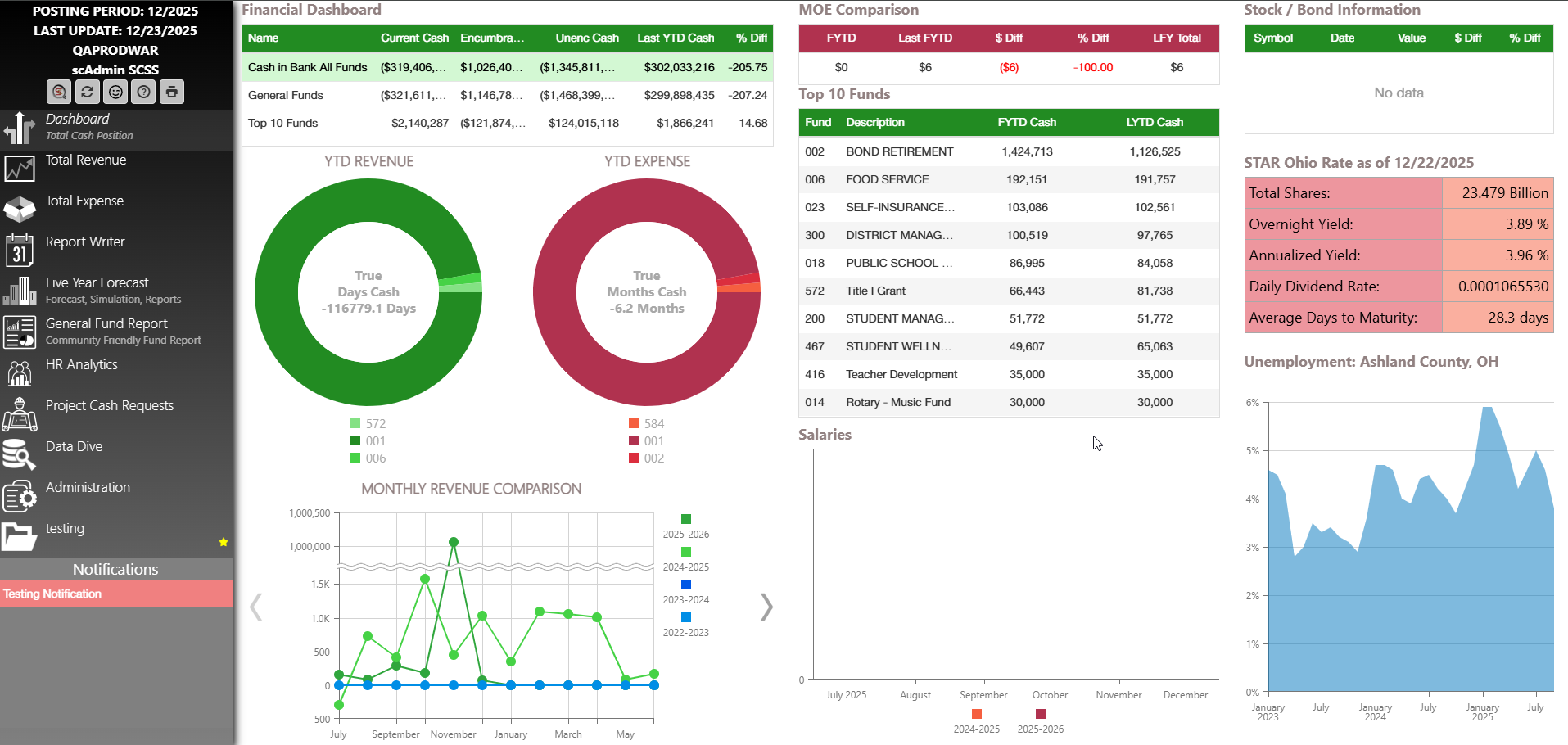
The dashboard consists of different data/grids where you can dive into to see more details. Within each detail view you can filter, search, and or export all the data to excel.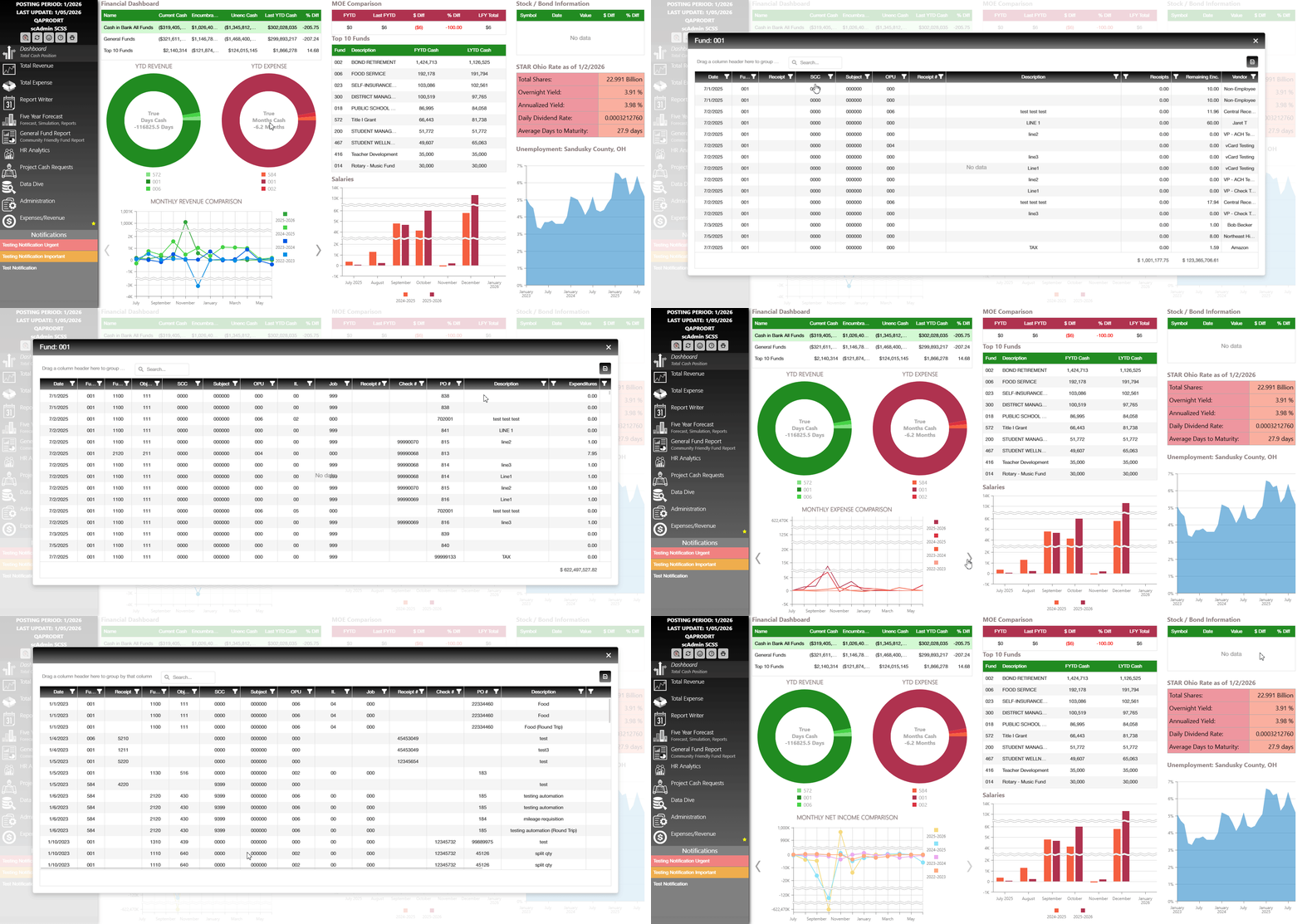
Navigate back to Scview.com
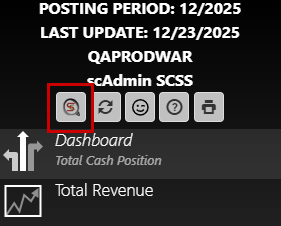
When wanting to go back to scview.com you can click the SC button in the top left of buttons in the left navigation bar.
Synchronize Financial Detail
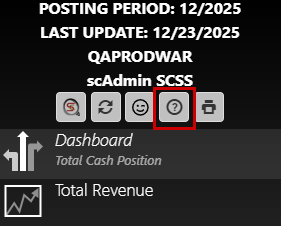
To Sync your Financial Dashboard to USAS look for the refresh icon under your username on the left side of the screen. 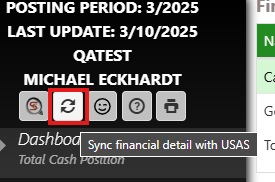
Select the date range you wish to refresh from.
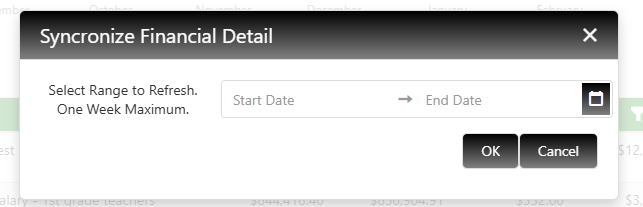
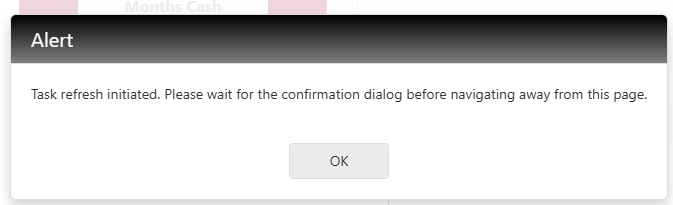
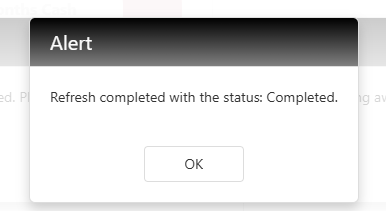
Upon hitting OK, you will need to stay on this page until you receive the alert popup telling you if the status of the refresh completed or failed.
Version and Support
The "?" mark button allows the user to see the current version of financial dashboard and allows the user to create a support ticket if needed.
Printing Tabs/Screens
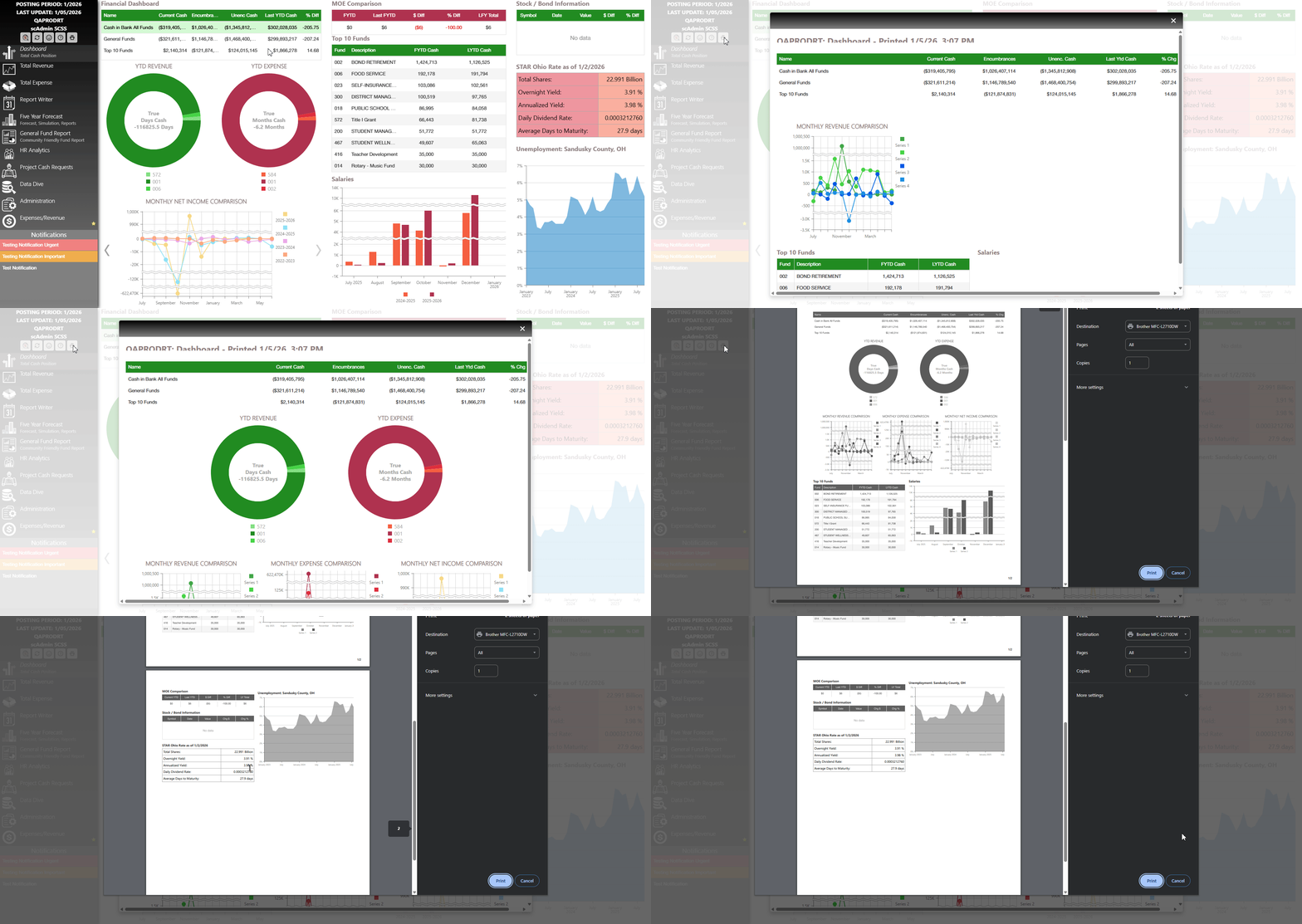
When on the selected tab you can click the print icon in the Navigation side menu bar. This print button will print the current page you are on. This option also applies to the custom tabs created in the administration tab. To learn more about custom tabs please read this article here.
C. Best Practices
- Regularly Refresh Data: Utilize the functional buttons to frequently update the dashboard with the latest data from USAS to ensure you're working with the most current information.
- Drill Down for Details: Utilize the drill-down functionality to explore detailed data beneath summary figures. This deeper dive can uncover insights that might be missed in a high-level overview.
- Customize Your Dashboard: Use the configurable elements to tailor the dashboard interface and functionalities to better meet your organizational needs, optimizing user experience and accessibility.
D. Troubleshooting
- Data Not Updating: Ensure that the dashboard is connected to the internet, and check if there's an issue with the USAS data source. Use the refresh button to attempt re-syncing the data.
- Incorrect Report Outputs: Revisit the custom report settings for any misconfigurations. Verify filters, groupings, and date ranges to ensure correctness.
- Display Issues: If graphs or charts are not displaying correctly, refresh the page or clear the browser cache. Ensure your browser is up to date for optimal performance.
- Access Problems: If users are unable to access specific dashboard features, verify user permissions and access rights in the administration settings.
Conclusion
The SCView Financial Dashboard is your strategic partner in financial data management, offering a robust set of tools designed for clarity, accuracy, and efficiency. By integrating our best practices and troubleshooting tips, you can maximize the potential of your dashboard to enhance financial decision-making in real-time. This comprehensive platform ensures that your organization remains informed, agile, and poised for success in the dynamic financial landscape. Embrace the future of financial management with SCView, where data visualization meets strategic insight.