 | ||
1. Introduction
This feature introduces real-time encumbrance tracking within workflow queues. By enabling a new queue flag within the workflow manager, users can now view estimated remaining encumbrance amounts for PO lines as they process invoices, eliminating the need for manual tracking or waiting for USAS sync to determine when purchase order lines can be closed. This enhancement prevents the common issue of leaving PO lines open with zero balances and significantly improves processing efficiency for high-volume invoice operations.
2. Setup Instructions
Within the workflow manager select the queue(s) for which a remaining encumbrance estimate would be useful. For this example, we will use the AP Workflow.
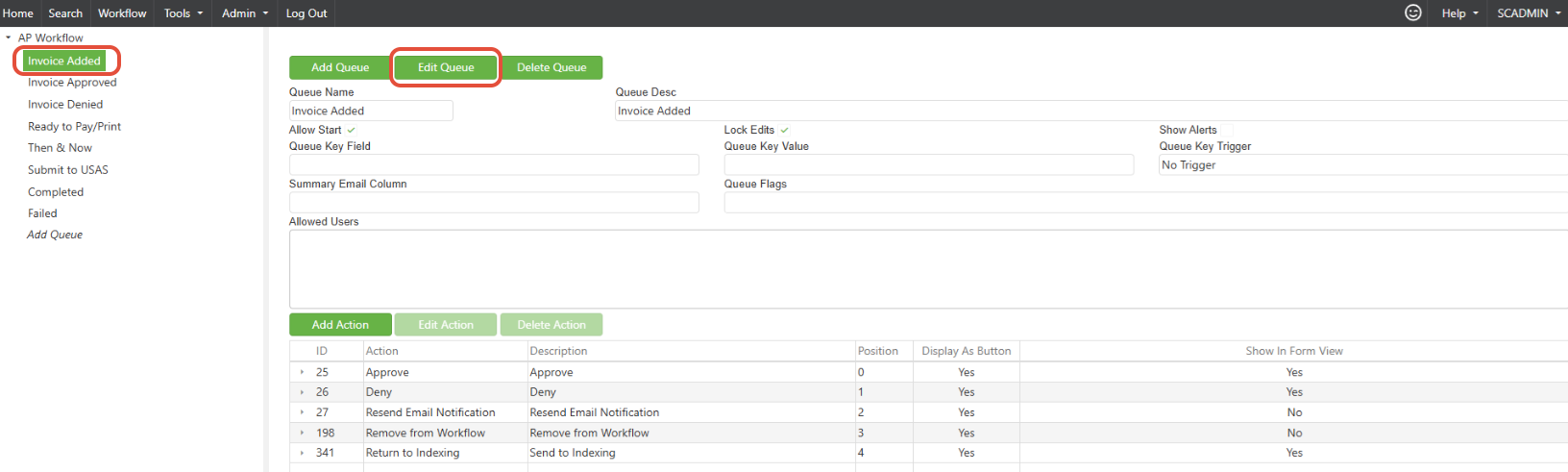
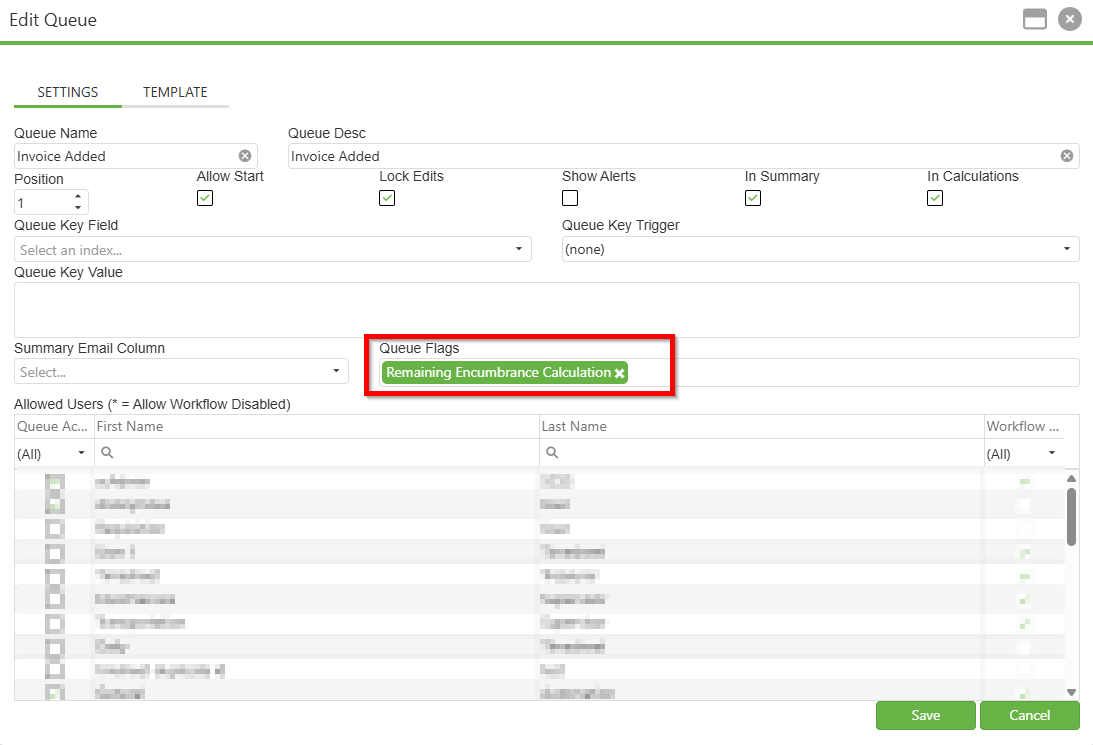
Select the Queue and under Queue Flags, select Remaining Encumbrance Calculation
Navigate to the workflow

3. Key Features
- For each invoice line, this column will display the total amount of all additional invoices for a given PO# that currently reside in a workflow queue with this flag.
- As invoices are submitted to USAS and remaining records are synced to update the remaining encumbrance, the encumbrance estimate will update as well.
4. Troubleshooting
- Missing column: Ensure the workflow queue has the Remaining Encumbrance Calculation set in the Queue Flags section.
- Calculations: If multiple invoices are tied to the same PO, any invoice not currently in a queue with the flag set will not be considered in this calculation. Check the queue settings to confirm the flag is set in all desired queues for which you would like amounts to be considered.
5. Conclusion
The real-time encumbrance tracking feature streamlines invoice processing by providing actionable, up-to-date encumbrance estimates directly within designated workflow queues. By leveraging the Remaining Encumbrance Calculation flag, users can reduce manual tracking, avoid leaving purchase order lines unnecessarily open, and make more informed decisions regarding PO closure. This enhancement is especially beneficial for organizations handling high volumes of invoices, ensuring accuracy and efficiency throughout the procurement and payment workflow. For the best results, be sure to enable the feature in all relevant queues and periodically review queue settings to maintain seamless and accurate encumbrance management.
Was this article helpful?
That’s Great!
Thank you for your feedback
Sorry! We couldn't be helpful
Thank you for your feedback
Feedback sent
We appreciate your effort and will try to fix the article