
 | ||
Introduction
When managing purchase requisitions in your procurement system, certain issues may arise, such as a failure in converting a requisition into a purchase order (PO) due to a duplicate requisition number. This can occur in systems like USAS where each requisition requires a unique identifier. Addressing this issue promptly ensures the smooth operation and integrity of the purchasing process.
A. Problem Statement
The challenge presents itself when a requisition cannot be transformed into a PO because the requisition number is already in use within the Universal Accounting System (USAS). This situation typically happens if requisitions are not set to be auto-numbered, leading to manual entry errors or oversight, which can result in duplicate numbers.
B. Solution
Here is the revised step-by-step guide to resolve the issue:
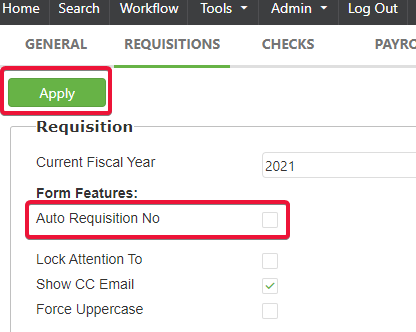
- Navigate to Admin > Site Settings > Requisitions.
- Disable the "Auto Requisition No." option by unchecking it and then apply the changes by clicking "Apply".
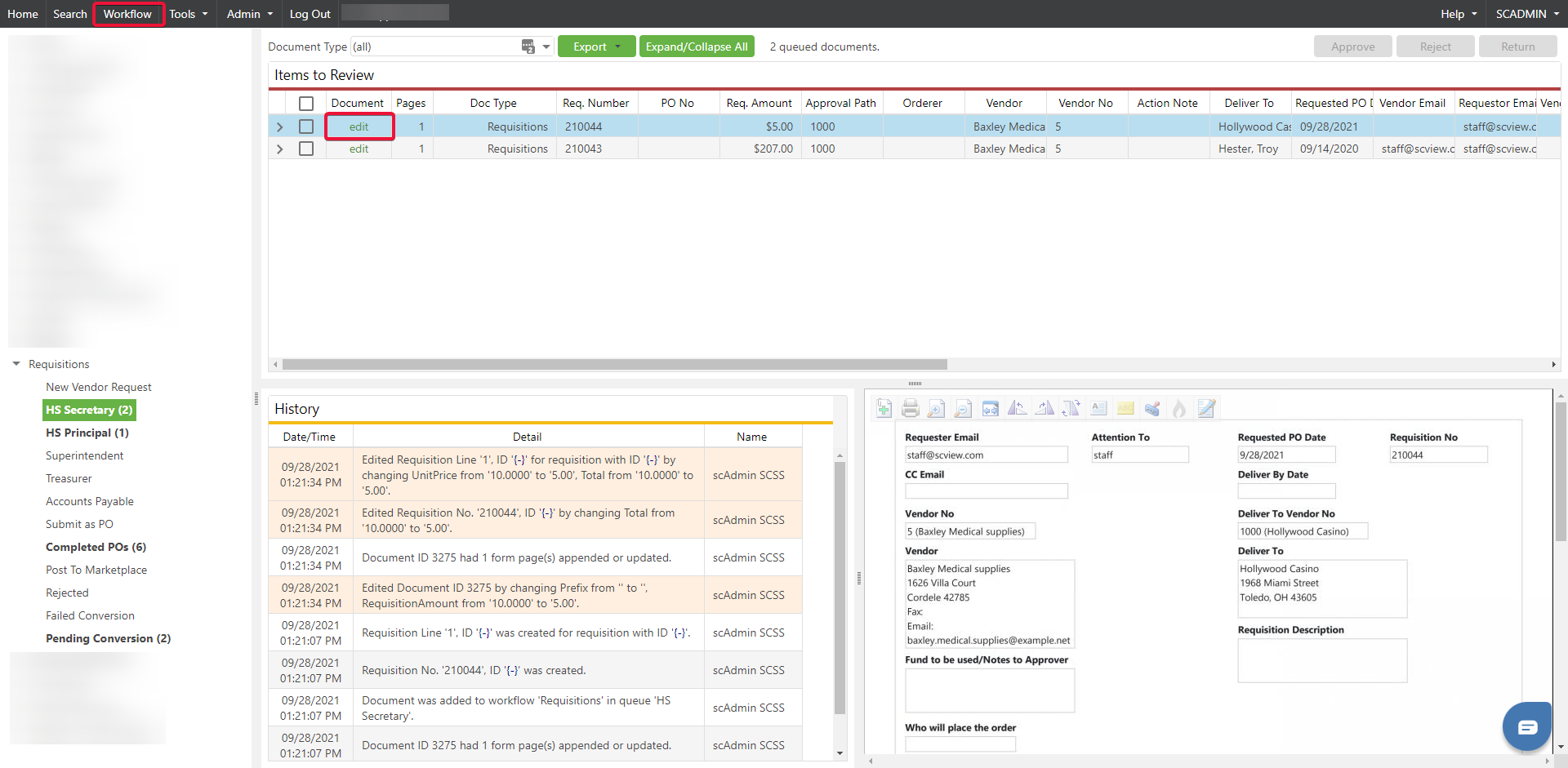
- Proceed to the "Workflow" section and choose to "edit" for the specific requisition with the number that needs changing.
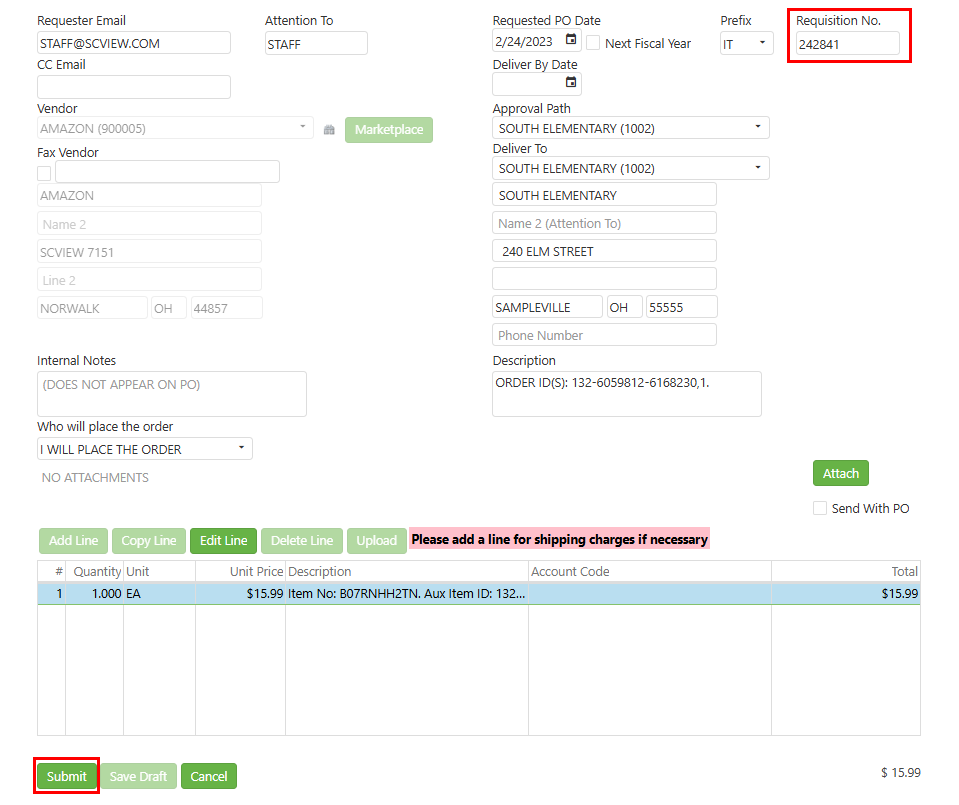
- Enter a new, unique requisition number and confirm the change by clicking "Submit".
- After successfully updating the requisition number, remember to revisit "Site Settings" to revert any changes made to the auto-numbering settings.
C. Best Practices
To prevent such issues, it is optimal to enable auto-numbering of requisitions to ensure each has a unique identifier. However, when auto-numbering isn't in use, best practices include:
- Maintaining a consistent and organized system for manually numbering requisitions to avoid duplicates.
- Implementing a verification step to check that a requisition number is unique before finalizing it.
- Regularly reviewing requisition logs for any potential conflicts in numbering.
D. Troubleshooting
To address the issue described, an administrator would need to manually change the duplicate requisition number to a unique one. This solution involves accessing admin settings and adjusting the requisition numbers accordingly.
E. Related Articles
Requisitions: Create a Requisition
How to Submit a Requisition to USAS to be Converted to a Purchase Order
Conclusion
By following the solution outlined above, admins can correct requisitions with duplicate numbers, thus allowing for the seamless creation of purchase orders. It's a simple yet critical process to ensure effective procurement operations and overall data integrity within your financial system. Remember always to return settings to their original state where applicable to maintain consistency in your requisition management.