
 | ||
Introduction
In many organizations that utilize SCView integrated with USPS (Unified School Payment System), managing leave submissions effectively is crucial. The Future Pay feature within the Leave module of SCView offers enhanced flexibility and precision in how leaves are recorded and processed for payroll purposes.
A. Problem Statement
Traditionally, leave entries are posted directly to the current pay period, which may not always align with organizational payroll schedules or specific employee leave planning scenarios. This can lead to discrepancies in payroll processing and challenges in managing future-dated leaves.
B. Solution
The introduction of the "Enable Future Pay" option in the Leave Site Settings allows for more tailored handling of leave submissions. By enabling Future Pay, users can specify whether leaves should be posted to the current attendance records, future pay periods, or both. This feature not only simplifies payroll administration but also enhances the accuracy of leave and payment records.
When submitting a Leave to USPS you now have the ability to post the leaves to Future Pay. To enable this you will need to enable "Enable Future Pay" in your Leave Site Settings.
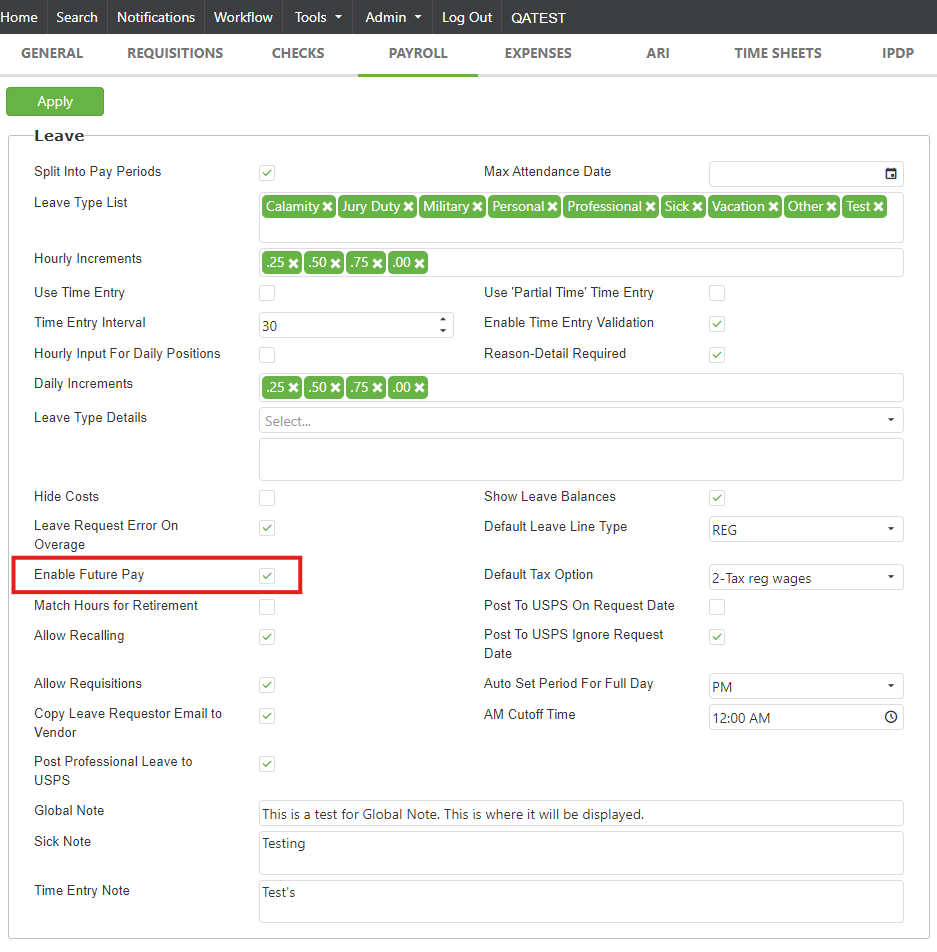
Once enabled, you will see new options on the Leave Confirm Screen.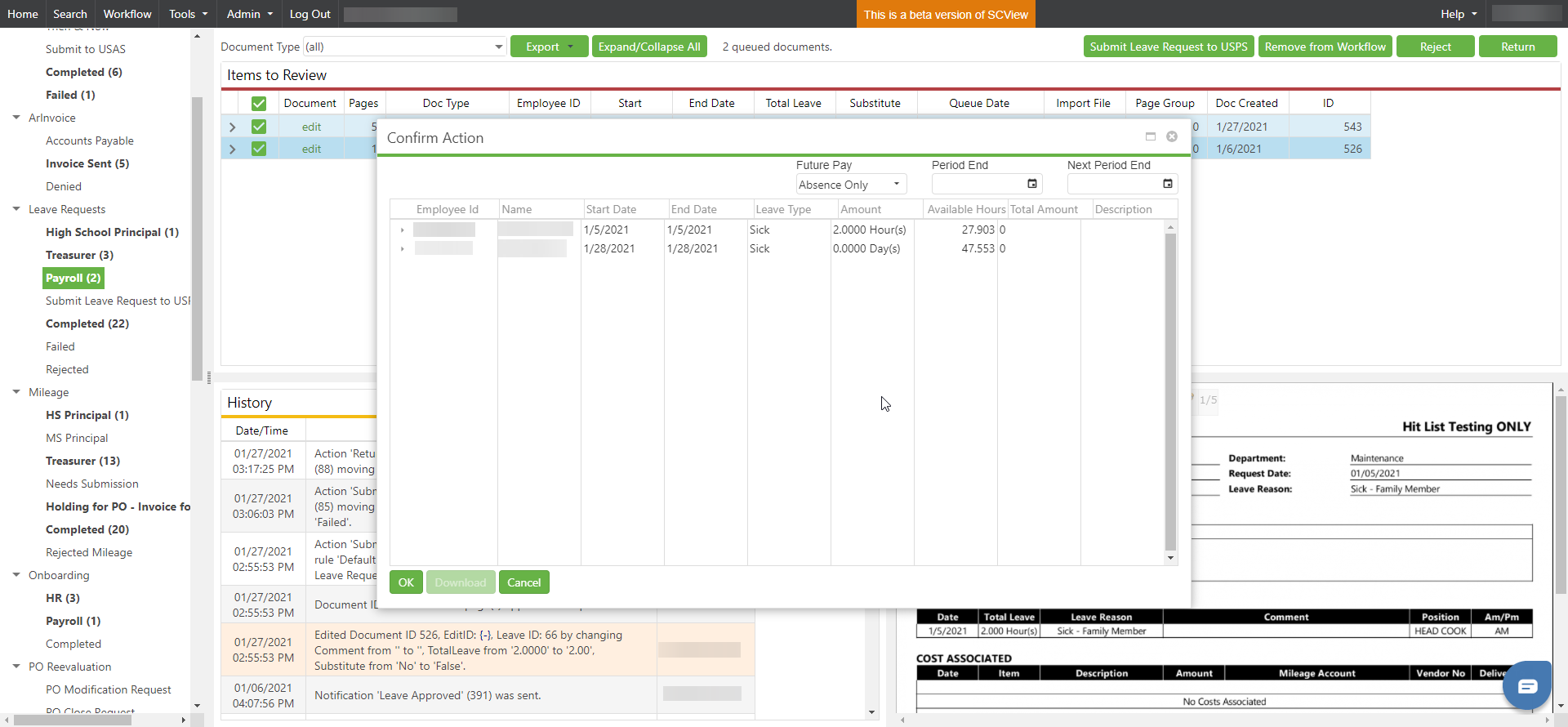
The new options are as follows:
Future Pay - Various options for Posting
- Attendance Only - Only post leaves to Attendance
- Attendance and Future Pay - Post leaves to Attendance and enable the Future Pay Download
- Future Pay only - Only enable the Future Pay download, do not post to attendance
Period End - End of the first pay period.
Next Period End - End of the second pay period.
Once you have selected your options, you will have the option to download the Future Pay file if on redesign, otherwise you will click ok. The leaves will then be queued for posting.
C. Best Practices
- Regularly Update Settings: Ensure the Future Pay settings in Leave Site Settings are frequently reviewed and updated according to changing payroll needs.
- Clear Communication: Transparently communicate the available options and their implications to all users responsible for managing leave and payroll, to prevent errors in leave submission.
- Training: Provide adequate training for payroll staff and leave administrators on how to use the Future Pay feature effectively.
- Documentation: Keep detailed records of all Future Pay settings adjustments and leave submissions for auditing and tracking purposes.
D. Troubleshooting
- Future Pay Options Not Visible: If the Future Pay options do not appear post-enabling the feature, ensure that "Enable Future Pay" is correctly activated in the Leave Site Settings. Consider refreshing the system or clearing the browser cache if issues persist.
- Incorrect Posting Periods: If leaves are being posted to incorrect periods, verify that the correct "Period End" or "Next Period End" has been chosen. Adjust the settings as needed to align with the payroll schedule.
- Download Issues: For problems with downloading the Future Pay file, ensure system compatibility and check for any updates or system requirements that may affect the download functionality.
E. Related Articles
Leave: How to Use the Leave Form
Conclusion
The Future Pay feature in SCView's Leave module significantly enhances the management of leave submissions, offering flexibility and improved payroll integration. By embracing these new capabilities and adhering to best practices, organizations can ensure that leave management is both efficient and aligned with financial planning. Proper use of this feature not only streamlines payroll processes but also supports accurate financial forecasting and enhanced employee satisfaction.