
 | ||
Introduction
When creating requisitions within an organization's procurement system, users may occasionally need to request goods or services from a vendor that has not yet been added to the system. To facilitate this process and keep the procurement workflow moving smoothly, a method is needed to handle new vendor requests effectively. This document provides guidance on how users can create requisitions for unlisted vendors in the Universal Administrative System (USAS) and how the organization can manage these requests to ensure vendors are added in a timely and compliant manner.
A. Problem Statement
Users encounter a common obstacle when the vendor they wish to purchase from is not available in USAS, either because the vendor is new or has not been previously entered into the system. This can halt the requisition process, as users traditionally cannot proceed without selecting an existing vendor. Without an appropriate solution, this can lead to delays in processing requisitions and potentially in procuring needed items or services.
B. Solution
To address this scenario, the following steps can be taken:
- The requestor selects the placeholder option "NEW VENDOR" from the vendor list when creating a requisition. This option should be pre-created in USAS (commonly using vendor number 9999) and should include instructions reminding users to attach a W-9 form for the new vendor.
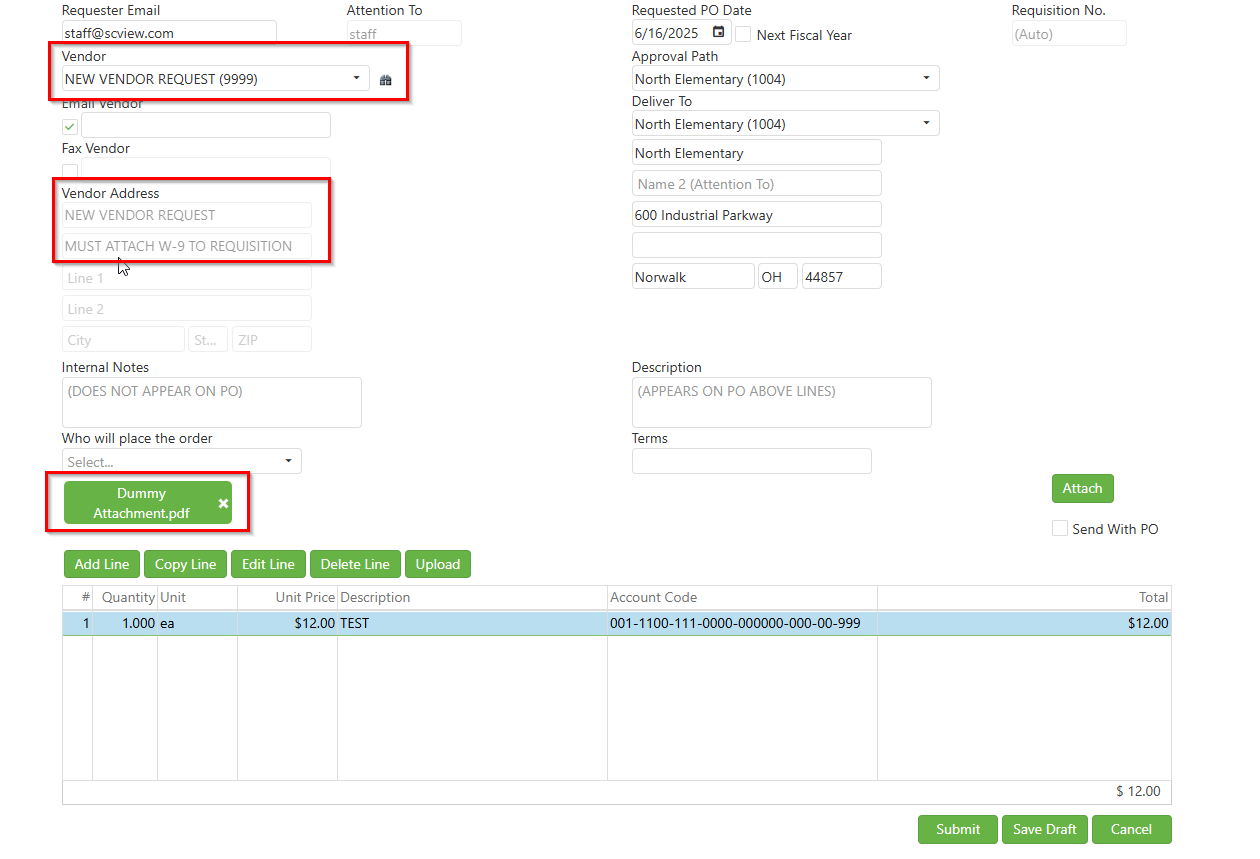
- After filling out the requisition information as normal, the requestor attaches the W-9 by clicking the edit "pencil" icon on the requisition, double clicking on the attachment to download the W9, and then clicking "cancel" to close the requisition.
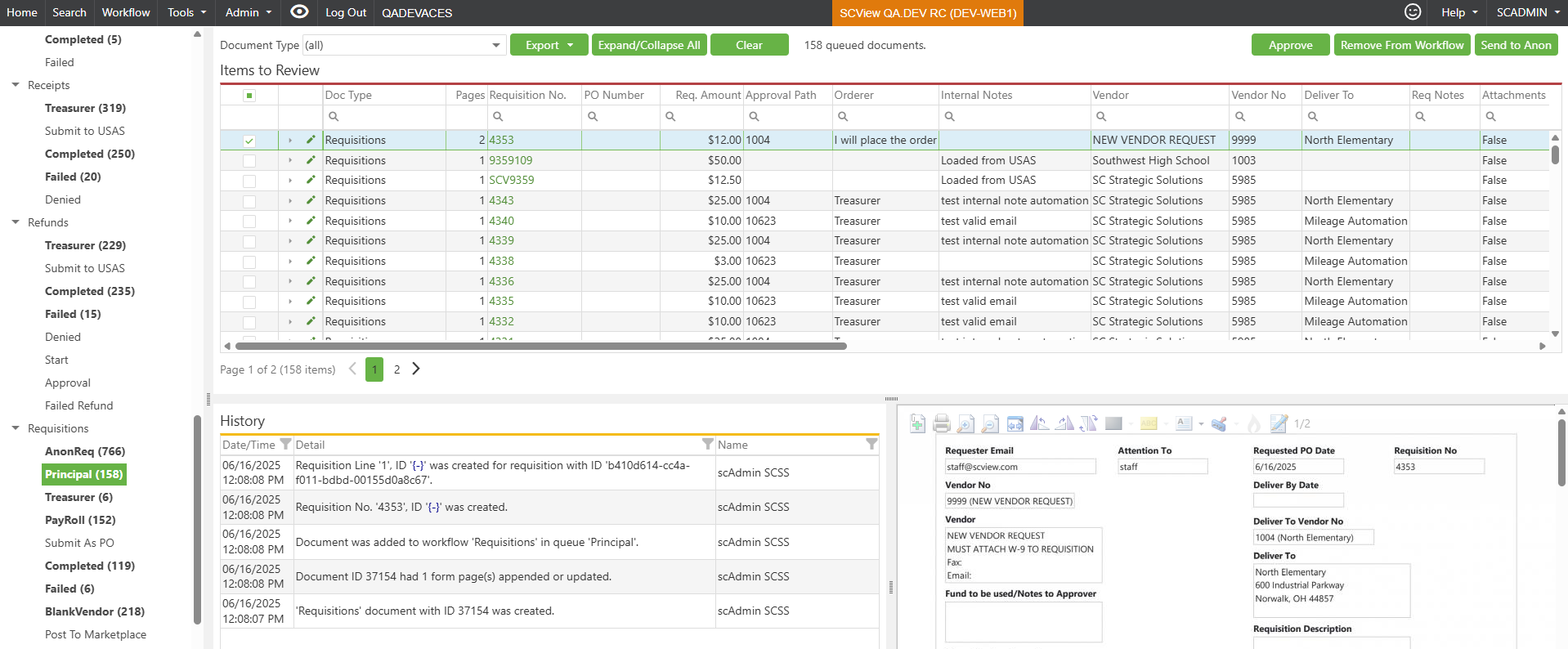
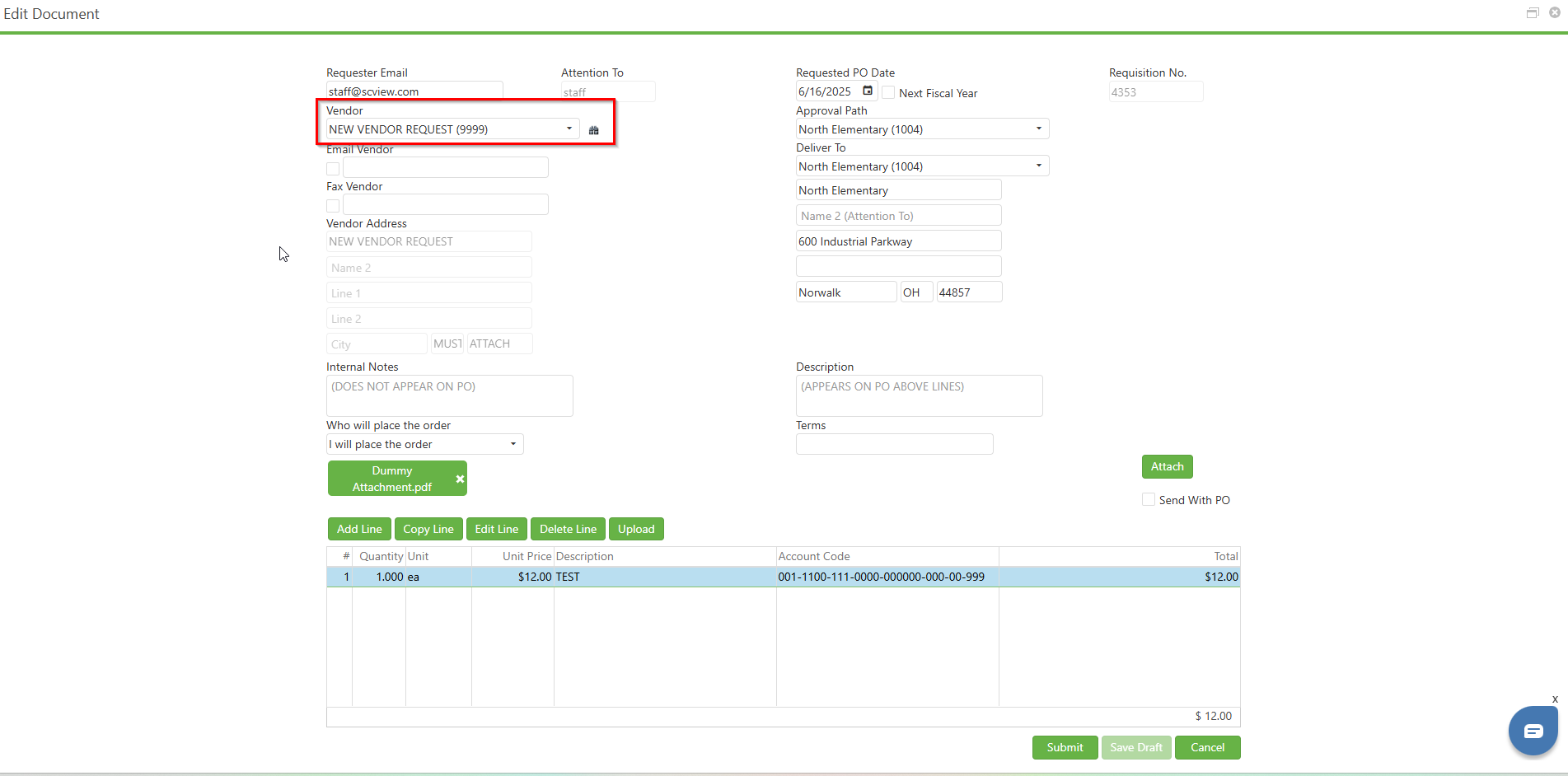
- Following the creation of the actual vendor in USAS, the requestor edits the requisition once more, swapping the placeholder "NEW VENDOR REQUEST" with the newly created vendor, and submits the requisition.
- Finally, the requisition with the updated vendor information can be selected from the workflow and approved as per the usual approval process.
C. Best Practices
- Always remind users to attach the necessary W-9 documentation when using the NEW VENDOR option.
- Promptly create the new vendor in USAS to minimize delays in the requisition process.
- Ensure that all related requisition and vendor data is accurate and complete before submission.
- Maintain clear communication with the appropriate departments involved in adding new vendors to expedite approval.
- Review and update any internal procedures regularly to align with current vendor management policies and compliance requirements.
D. Troubleshooting
If the newly created vendor is not appearing in USAS after entry:
- Wait for approximately 5 minutes to allow for system synchronization and then try again.
- Verify that the vendor information has been entered correctly and completely in USAS.
- Contact system administrators if the issue persists beyond a reasonable waiting period.
E. Related Articles
Requisitions: Create a Requisition
Requisitions: Copy Requisition
Conclusion
The requisition process for new vendors can be streamlined using a placeholder NEW VENDOR option and following the associated steps for requisition entry and vendor creation. By adhering to the practices outlined in this document, users can ensure requisitions involving new vendors are handled efficiently and in compliance with organizational procedures. Clear, concise documentation and following the provided steps help avoid unnecessary delays, improving the overall procurement process within the organization.