 | ||
Introduction
Navigating document management effectively is crucial in maintaining an organized and efficient digital workspace. SCView provides robust tools to manipulate documents, allowing users to duplicate content through copying or move content via cutting to new documents. This guide focuses on the step-by-step process to copy a document in SCView, facilitating users in creating new documents from existing content without altering the original. Understanding this process can significantly enhance document handling efficiency within your organization.
A. Problem Statement
Users often need to create new documents from existing ones without altering the original documents. This need arises in scenarios such as duplicating records for separate departments or creating new files based on previous document templates. However, without knowing the proper method to copy or cut pages, users can unintentionally modify or misplace important document content, leading to data management issues and inefficiency.
B. Solution
SCView addresses this need by offering a straightforward method to copy or cut pages from existing documents to create new ones. By using the "Copy Page" and "Paste Page to New Document" functions, users can efficiently duplicate necessary information while preserving the integrity of the original document. This functionality not only saves time but also reduces the risk of errors associated with manual data entry or document recreation.
This guide will show you how to create a new document by either copy or cut into a new document. For this FAQ, we will be showing how to copy. If wish to cut, would just select cut instead of copy as listed below.
1. Go to Search and select the page(s) from the document you wish to copy or cut from.
2. Right click the page(s) and click "Copy Page".
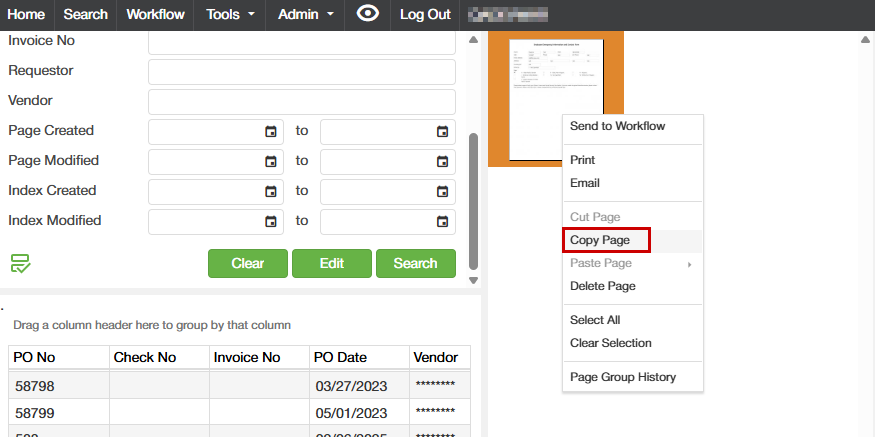
3. Right click again and click "Paste Page" and click "To New Document"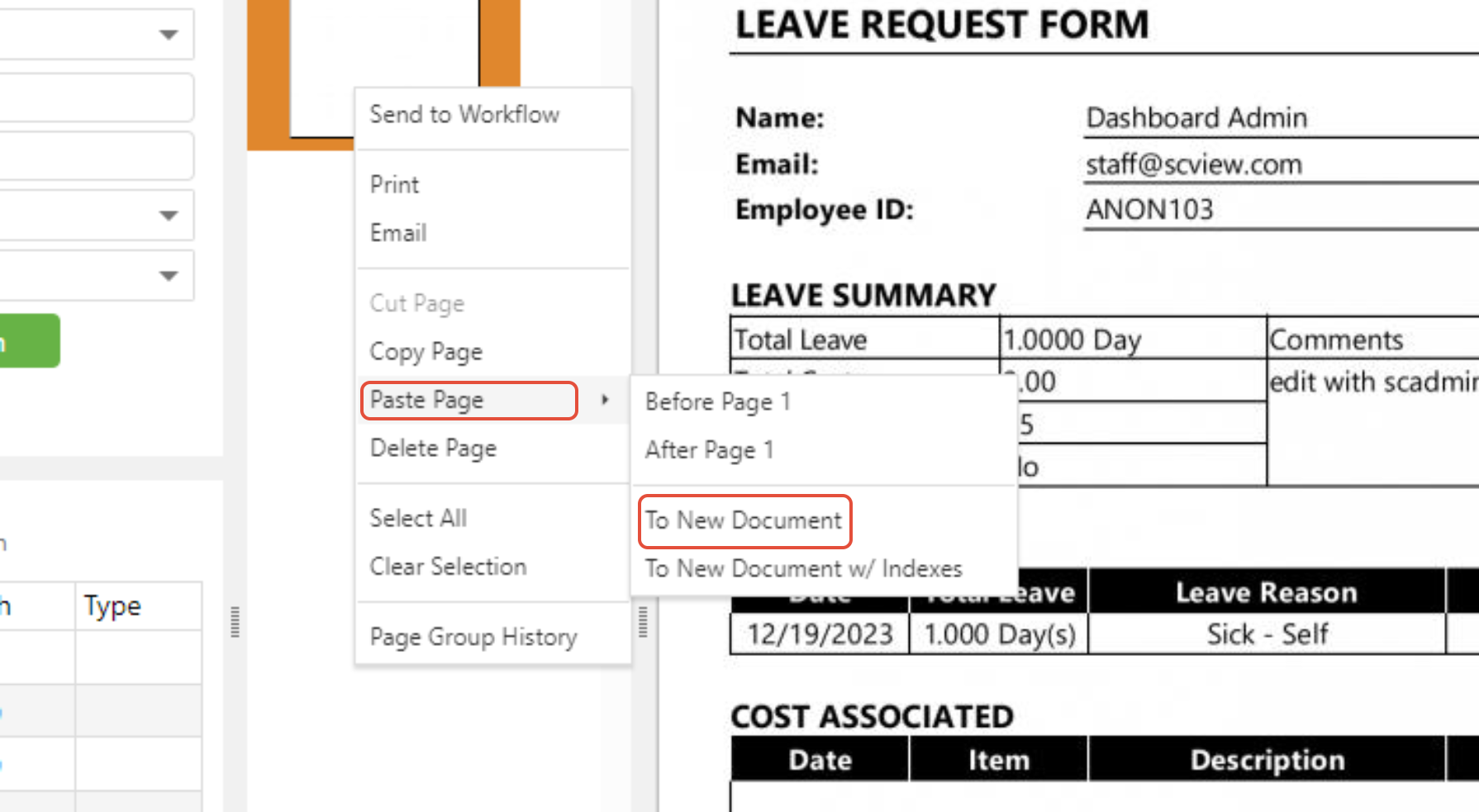
4. Index as needed in the popup screen and click "Save"
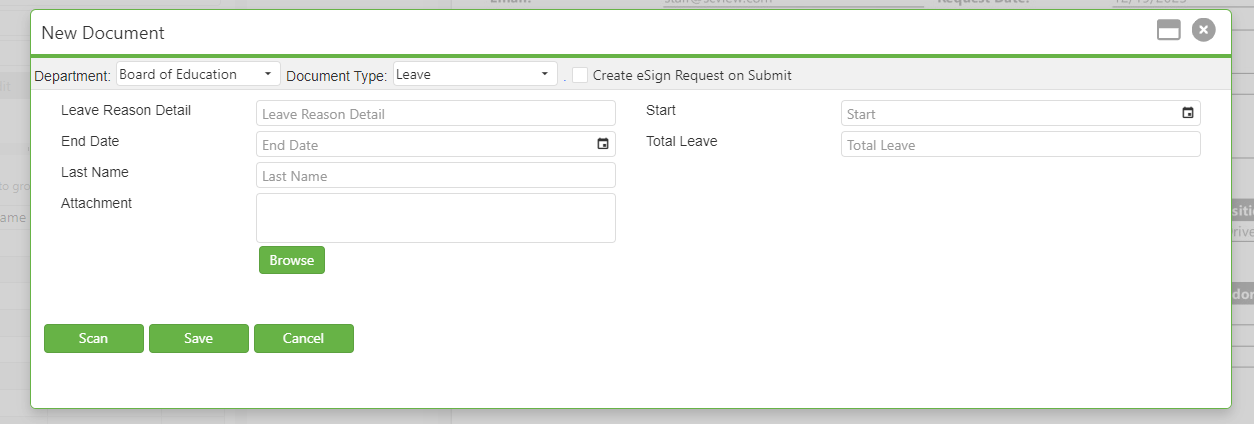
This will bring you to your new document.
5. Right click again and click "Paste Page" and click "To New Document w/ Indexes"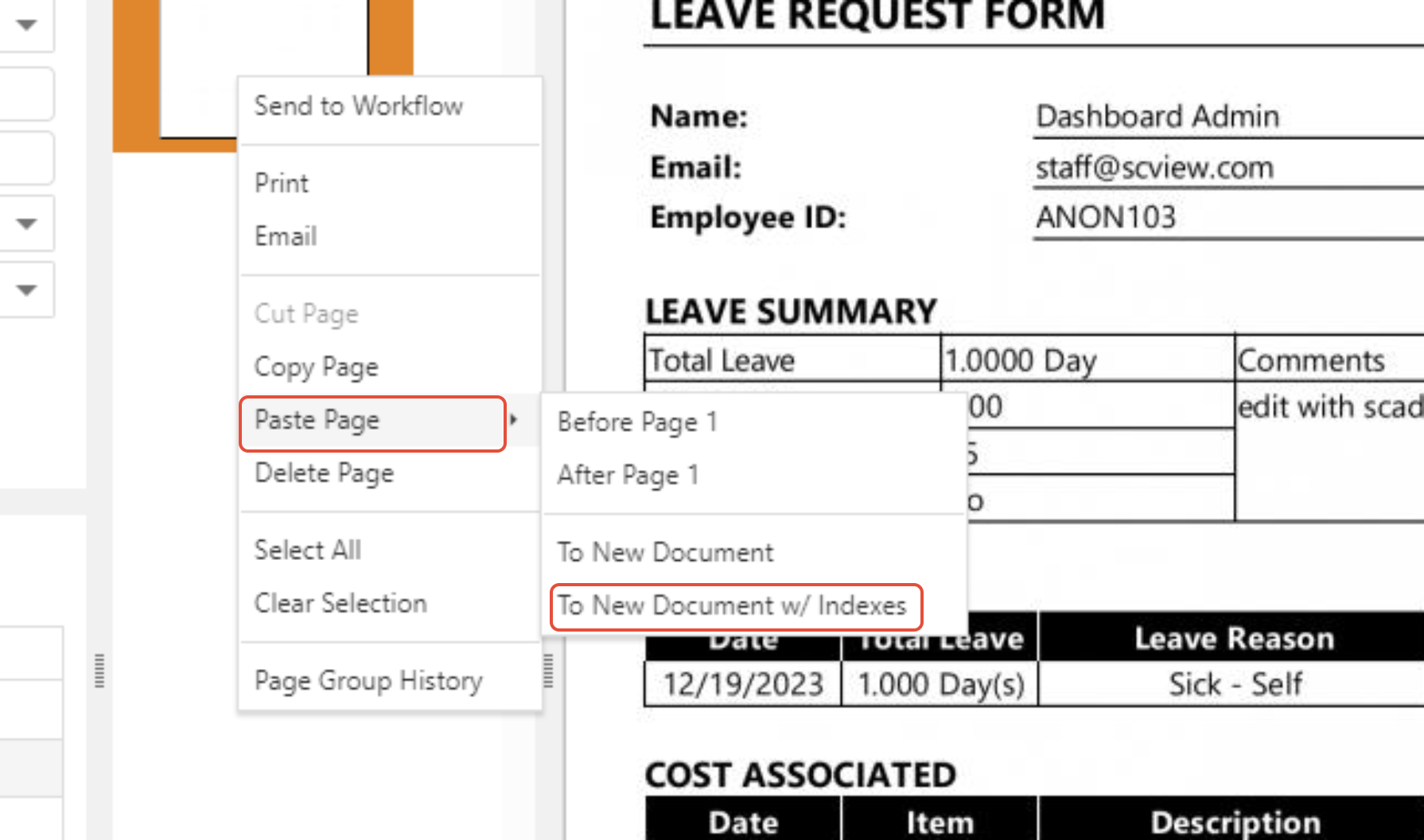
6. Index as needed in the popup screen and click "Save"
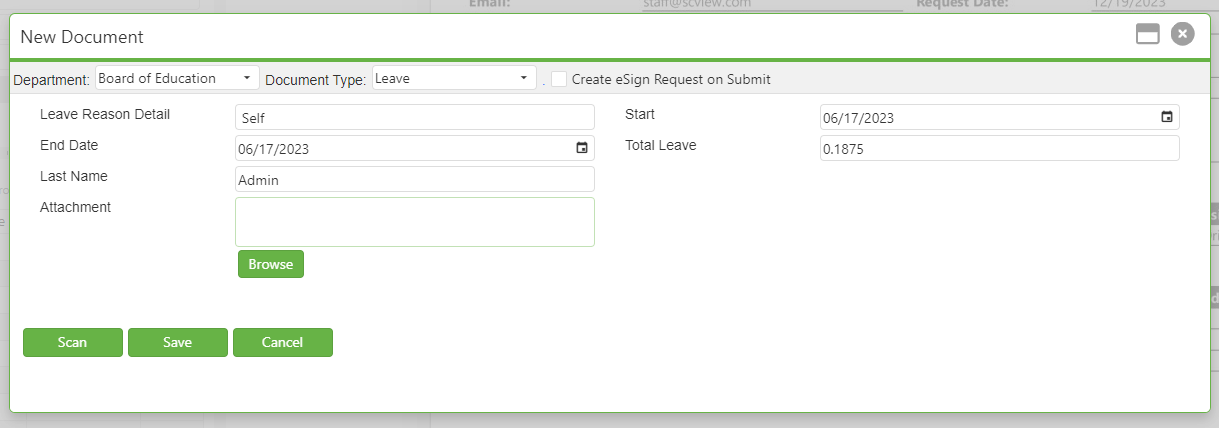
This will bring you to your new document with the same indexes as the previous.
C. Best Practices
- Clear Document Labeling: Always ensure new documents are clearly indexed and labeled during the copying process to avoid confusion with the original documents and other data.
- Regular Audits: Conduct regular checks to ensure that the documents have been copied or moved correctly and that there are no duplications or data losses.
- User Training: Regularly train users on how to use document management tools within SCView effectively. Emphasize the importance of correct indexing to ensure ease of access and organizational consistency.
D. Troubleshooting
- Issues with Copying or Pasting Pages: If the copy or paste function does not work as expected, check if you have the necessary permissions to perform these actions. If permissions are adequate, try refreshing the system or restarting the SCView application.
- Incorrect Document Indexing: Should there be errors in the indexing of new documents, double-check the information entered during the index popup screen. Re-index if necessary to correct any discrepancies.
- Data Not Carrying Over: If essential data is not copied over to the new document, ensure that you selected all necessary pages to be copied. Review the selection process to ensure completeness.
E. Related Articles
Search: OCR Search Functionality
Conclusion
The ability to seamlessly copy and move document pages within SCView not only enhances document management capabilities but also plays a critical role in maintaining data accuracy and efficiency across organizational processes. By following the outlined steps and best practices, users can effectively manage their documents, ensuring that information is both secure and organized. As with any essential process, understanding the intricacies of document handling within SCView is crucial for optimizing workflow and productivity in your daily operations.
Was this article helpful?
That’s Great!
Thank you for your feedback
Sorry! We couldn't be helpful
Thank you for your feedback
Feedback sent
We appreciate your effort and will try to fix the article