
 | ||
Introduction
Efficiently managing financial requisitions often entails the need to divide resources in various ways, whether by price or quantity. Understanding how to adeptly navigate through these processes can optimize budget allocations and ensure that expenditure tracking aligns perfectly with departmental planning.
A. Problem Statement
Users may encounter situations where they need to split a single requisition line item across multiple accounts, projects, or departments. The challenge arises in ensuring this division is performed accurately and reflects the actual distribution of costs or quantities as required.
B. Solution
Split by Price
For scenarios where you need to distribute the cost of a single item through different budgets or accounts at varying amounts, follow the "Split by Price" guide:
- Create a new requisition, add a line with the required details, and ensure the quantity is set to one.
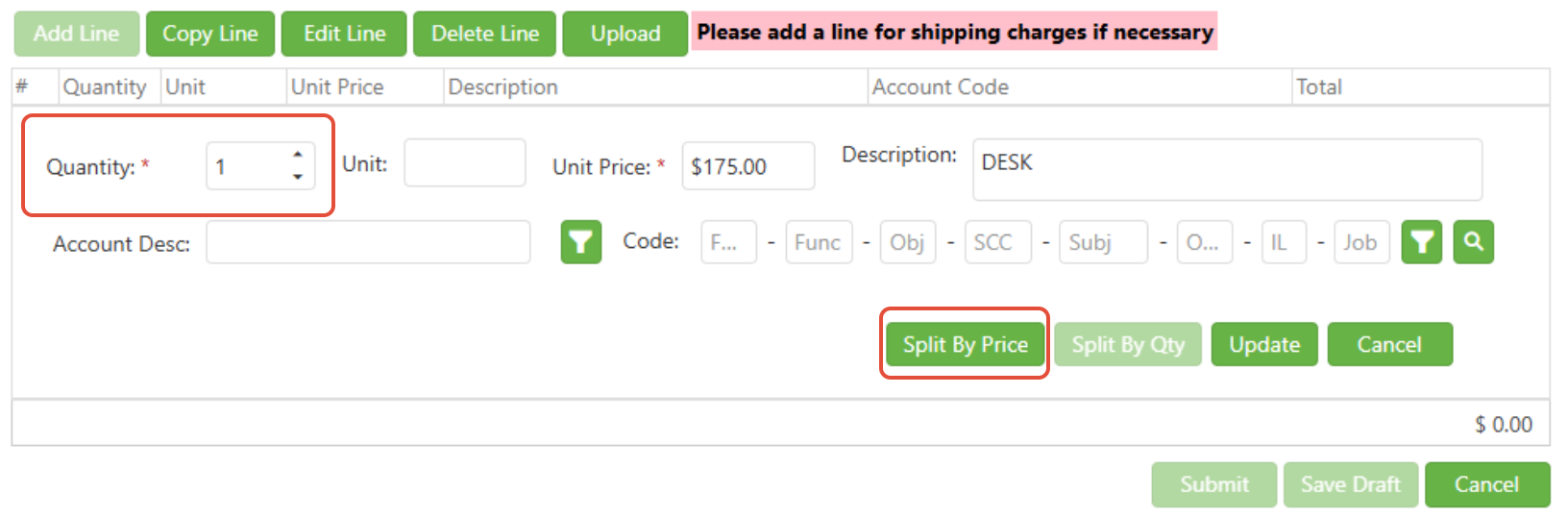
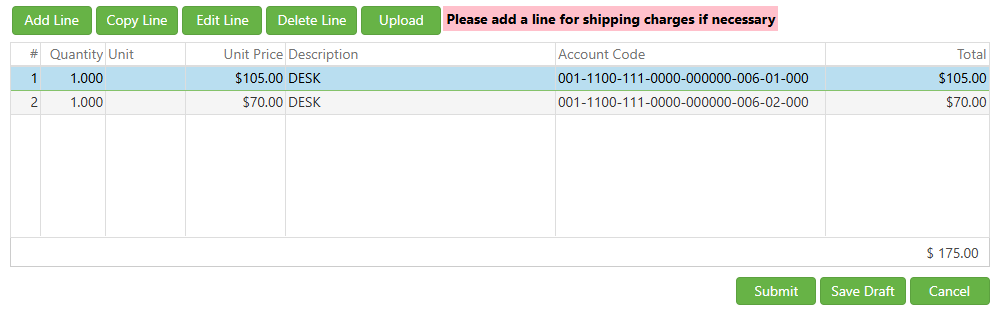
2. Use the "Split By Price" function to allocate the specified amounts to different accounts and update each until the total unassigned balance is zero.
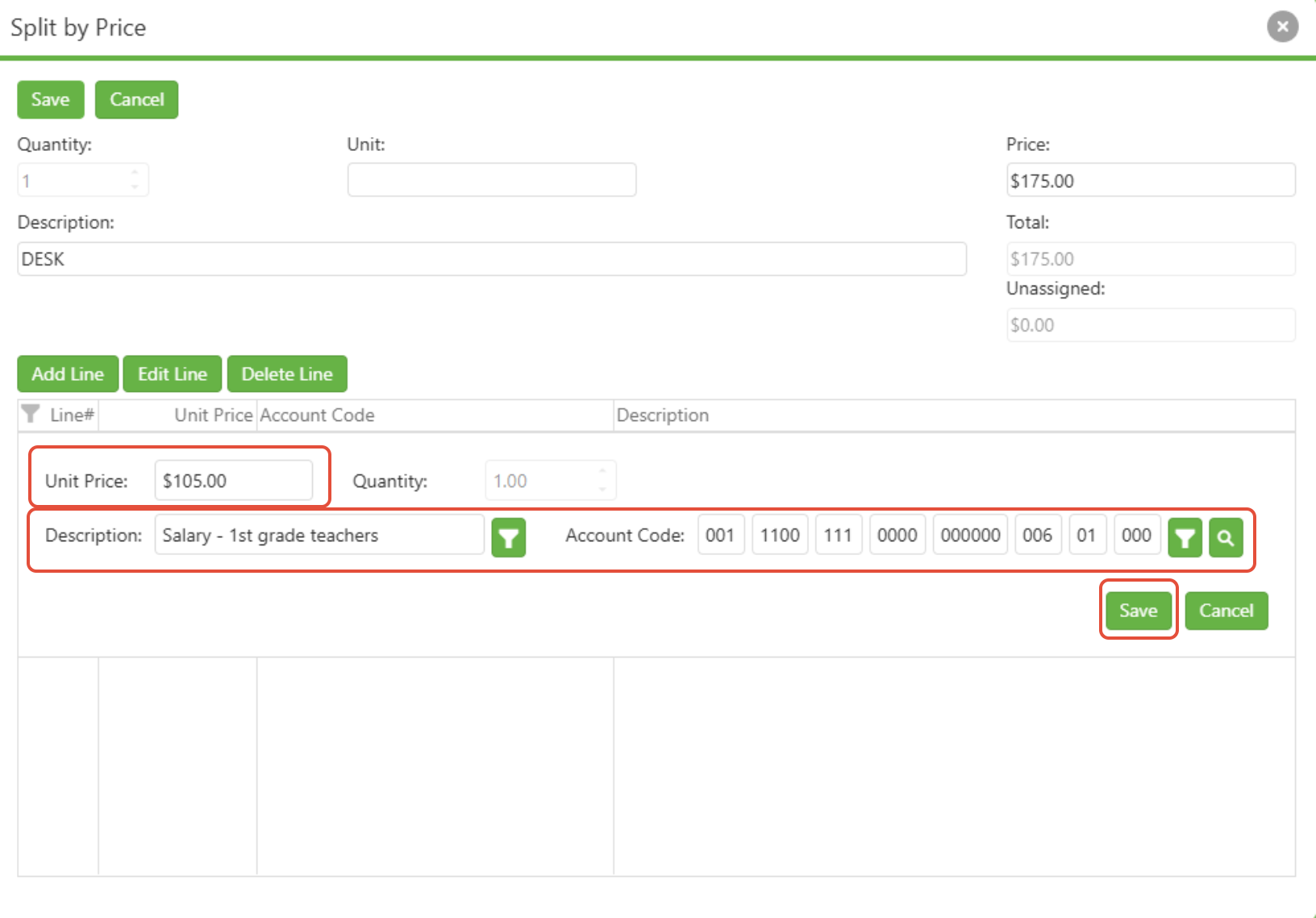
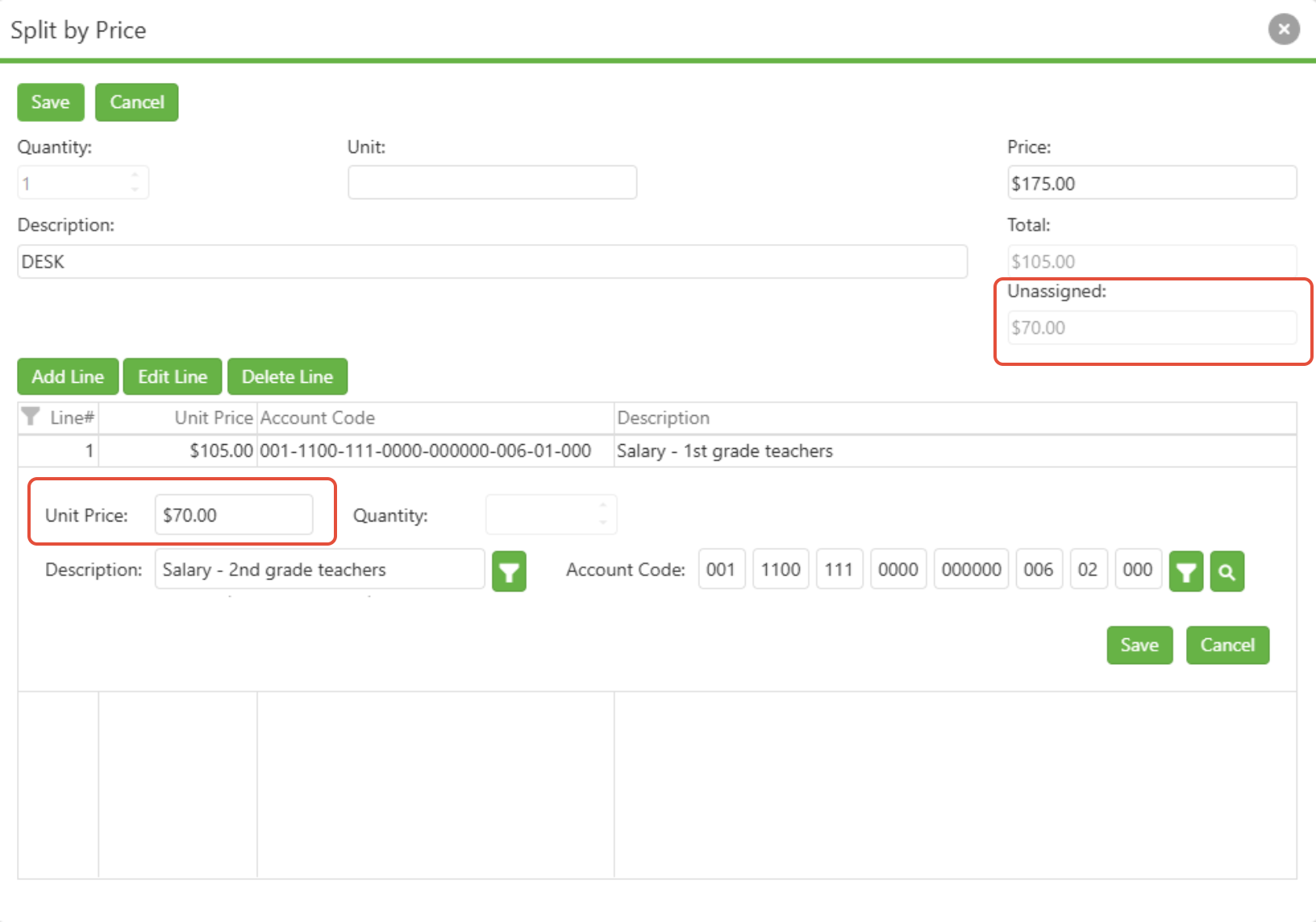
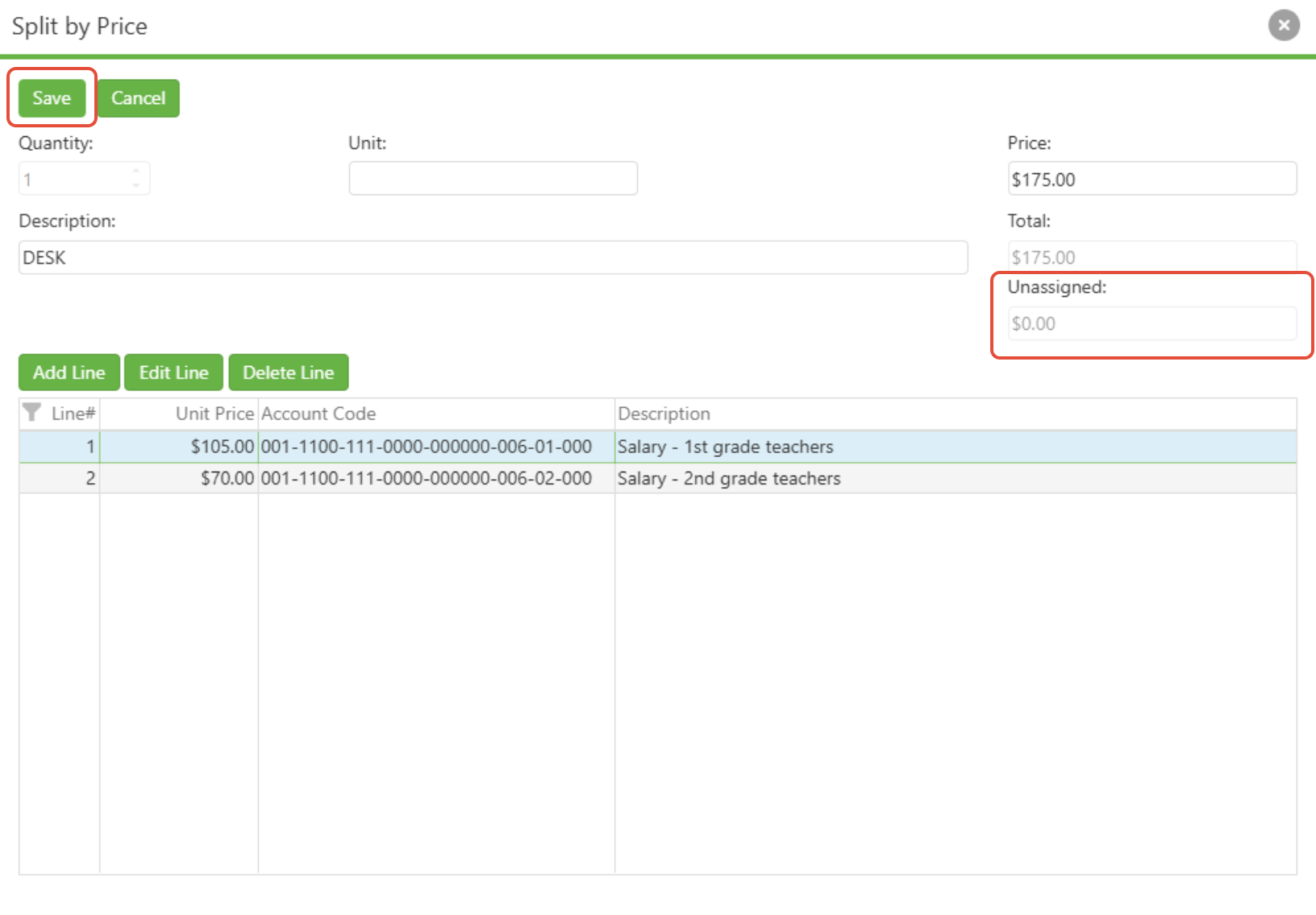
3. Save to reflect changes in the table
Split by Quantity
Alternatively, when dividing the quantity of an item amongst different accounts or projects:
- Add a new line to your requisition and enter the necessary details, confirming that the quantity is two or more.
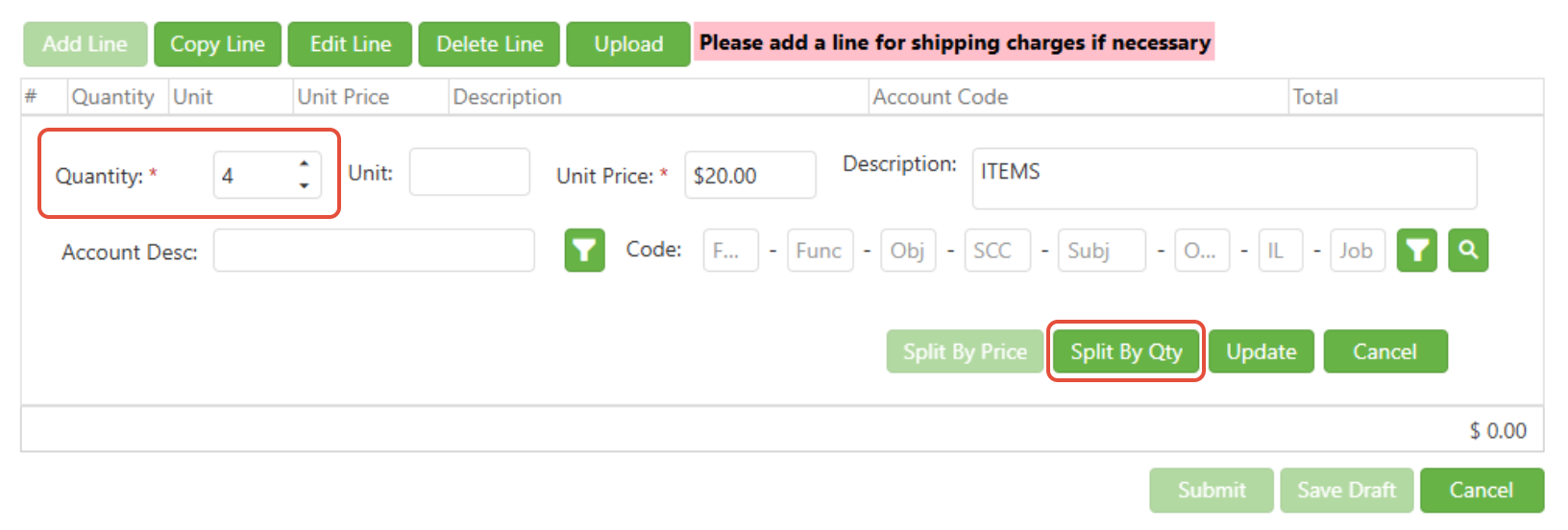
- Click the "Split By Quantity" button.
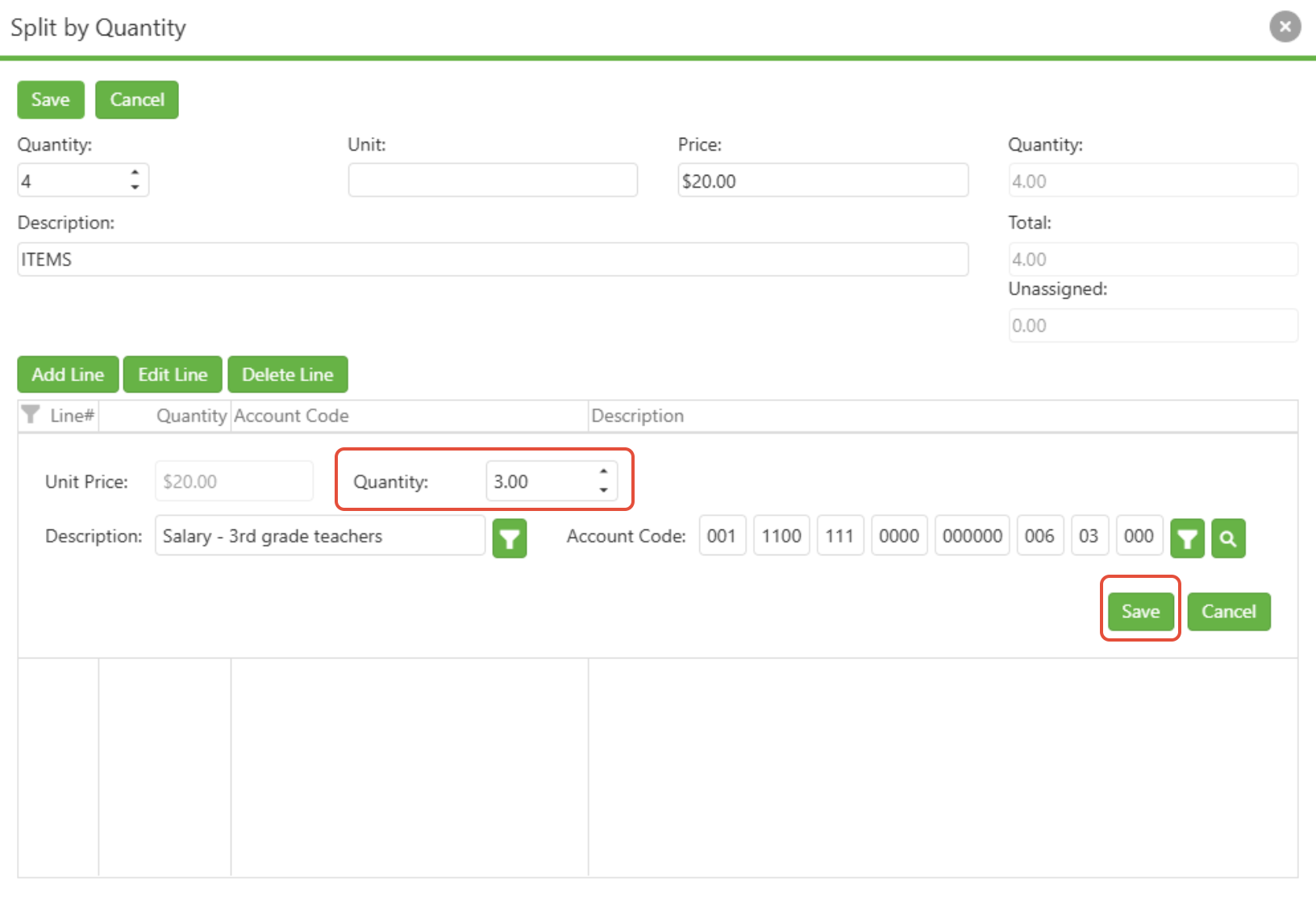
- Specify how many of the items should be allocated to each account, saving as you go until the quantity required matches the quantity allocated.
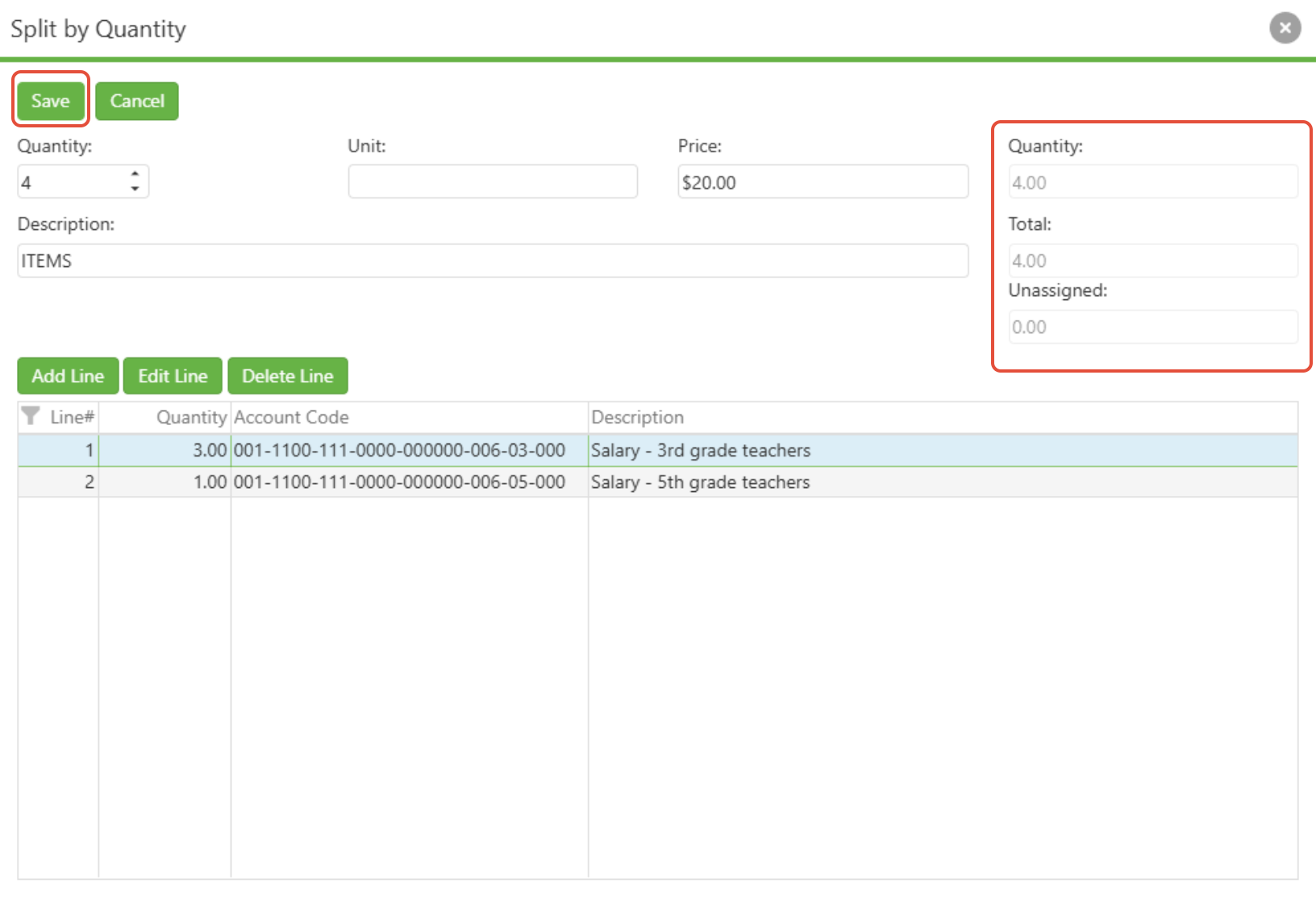
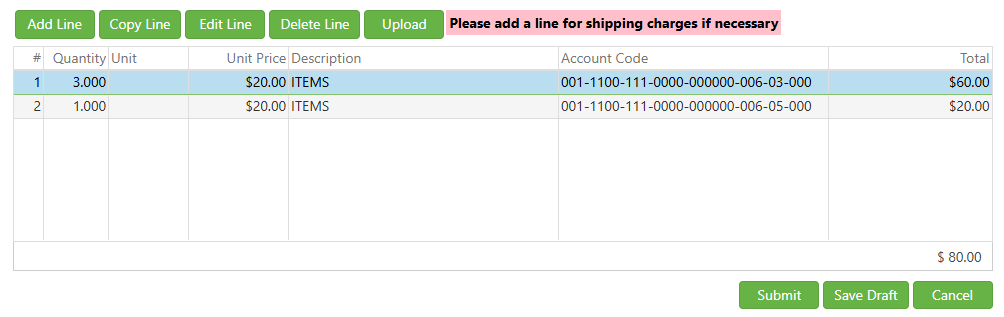
- Save the requisition, and the split quantities will be visible within your line item table.
C. Best Practices
- Always double-check quantities and prices before splitting to prevent errors.
- Ensure that each account used in the split has appropriate funding.
- Communicate with relevant departments or project managers when splitting costs or quantities to maintain transparency.
D. Troubleshooting
If you encounter issues when splitting line items:
- Verify that the line's total quantity or price hasn't been exceeded during the split.
- Confirm that you're using the correct process for your desired outcome (price vs. quantity).
- Check whether you have the necessary permissions to allocate funds to the specified accounts.
- If you cannot save the split, review the requisition for any missing required fields or system errors.
E. Related Articles
Requisitions: Create a Requisition
How to Submit a Requisition to USAS to be Converted to a Purchase Order
Conclusion
Mastering the process of splitting requisition line items can greatly enhance the precision and effectiveness of your organization's procurement system. Whether it's by price or by quantity, the ability to successfully navigate this feature allows for greater control over budgetary spending and resource distribution. By adhering to best practices, you ensure a smooth and accurate requisition process.