 | ||
Introduction
In MySCView, users can configure their settings to utilize their own SMTP server for enhanced email management and also determine how their faxing needs are handled using the system. This customization not only allows for improved email delivery performance but also ensures that notifications and communications reflect the organization’s own domain, fostering a more professional appearance. Here's how to navigate these settings, test their functionality, and understand the implications of using personal SMTP settings and external fax services within MySCView.
FAQ
Where do I enter the settings to use my own SMTP server?
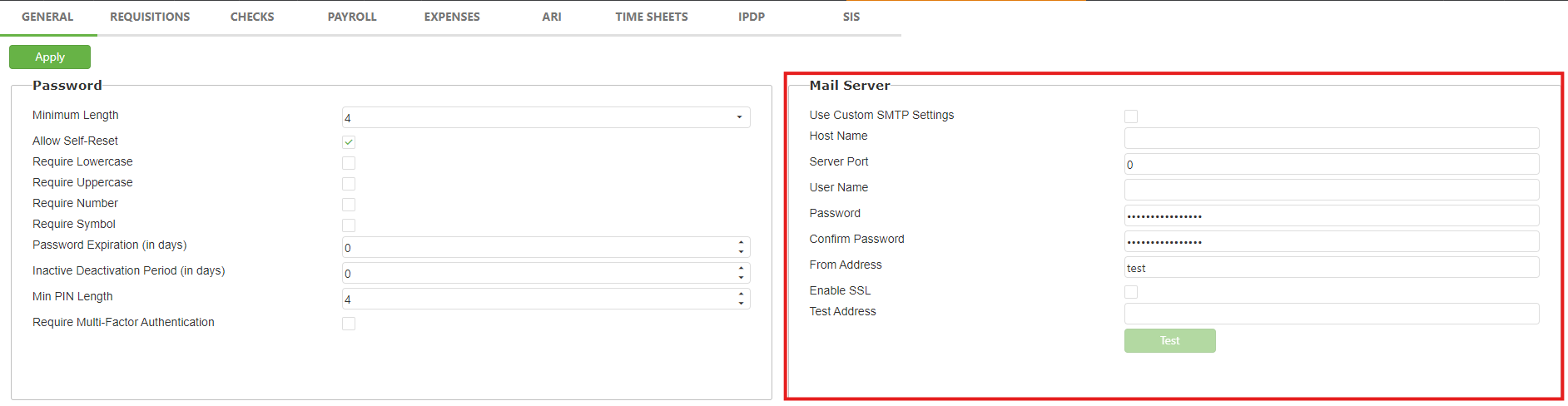
Go to Admin-> Site Settings
Fill in the "Mail Server" section in the General tab, and click Apply to save changes. We recommend having your IT department provide this information. Once all of the server information is entered, click Apply.
Please do Not check the "Use Custom SMTP Settings" box until after using the Test button with an email filled in. We want to make sure the connection works before it is enabled, and this Test option will let us know if it's successful by reaching your inbox. If the connection does not work and it the box is checked, no emails will send from the system.
Can I still fax through MySCView if I use my own SMTP?
Yes, but you will need to setup your own digital fax service, such as efax or metrofax. If you would like for us to create you an account, we can for a small yearly fee.
I have my own fax server that I want to use to send faxes, can I use that?
No. The reason is, fax server's use portals. The service needs to be able to send a fax via email, like efax and metrofax.
I have my own fax machine, can that send faxes direct from MySCView?
No. Fax machines are analog. Our system's go through the internet and not the phone lines.
Will my notifications go out instantly?
Currently, there may be a slight delay in sending out notifications. However, using your own SMTP server typically results in faster dispatch.
Why can't I still have MySCView send my faxes?
Digital fax services 'approved to send as' email addresses. Since you are now using your own SMTP, the from email address, changes to the one you entered in the Mail Server settings.
Who will my emails show they are coming from?
They will show they are coming from the email address you provide in the From Address.
What benefits do I have from adding my own SMTP server for email?
Using your own SMTP server allows for faster delivery of notifications. Additionally, it enables you to receive replies directly, which is not possible when using the system's default SMTP settings. Your emails will also come from your own email SMTP rather than coming from @myscview.com.
I don't get replies to faxes or notifications now?
No. The reason being, when they reply, it is going into an un-monitored mailbox. This is why we put notes in our notifications to not reply to an email or fax received directly.
Is there an extra charge in using my own SMTP server?
There is no charge for using your own SMTP server. There is only an extra expense (be it purchased through SCView or yourself) if you wish to continue using faxing through our system.
How do I setup Metrofax to work with my custom SMTP?
- After logging in, click "Account Details"
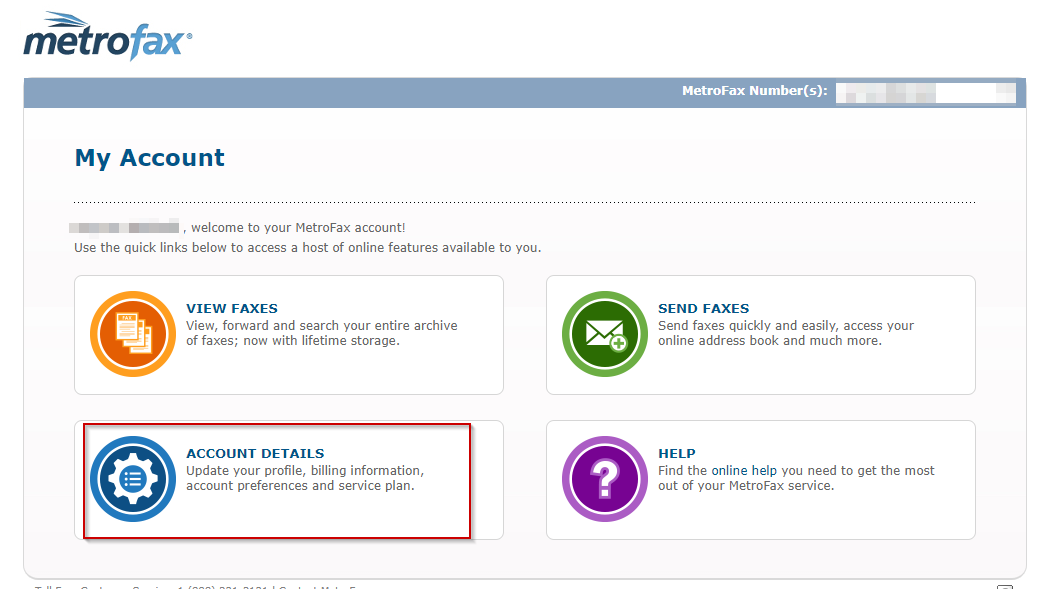
- Change "Send Email Addresses" and "Receive Email Addresses" by clicking edit and enter the email address you added to your custom SMTP settings.
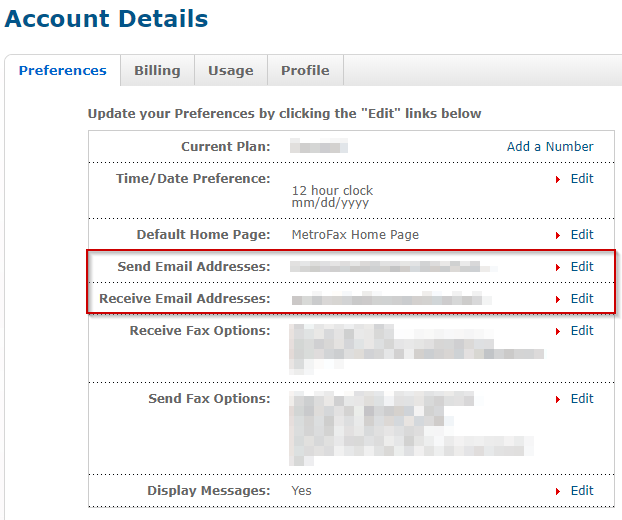
- Once you have made the above changes, you'll now be able to send faxes using your own SMTP settings.
Related Articles
Was this article helpful?
That’s Great!
Thank you for your feedback
Sorry! We couldn't be helpful
Thank you for your feedback
Feedback sent
We appreciate your effort and will try to fix the article