
 | ||
Introduction
Integrating Amazon Business with procurement systems like SCView enables a seamless purchasing experience within a familiar marketplace. As organizations increasingly look to enhance procurement efficiency, using a centralized system capable of managing orders directly through Amazon becomes a valuable asset. This guide provides the essential steps to connect your Amazon Business account with SCView, streamlining your procurement process.
A. Problem Statement
The challenge many businesses face is the initial setup required to integrate their Amazon Business account with SCView for procurement. The process involves locating specific information within the Amazon account settings, ensuring correct entries, and transitioning from a test to a production environment. This can be daunting for users unfamiliar with system integrations, potentially leading to errors or inefficiencies.
B. Solution
To use Amazon Marketplace there is some information we need from your Amazon Business account. This guide will walk you through the steps on how to get it for us. If you'd like to start using Amazon Marketplace please contact us at support@scview.com with the information gathered below.
1. Login to your Amazon Business account
2. Go to Business Settings
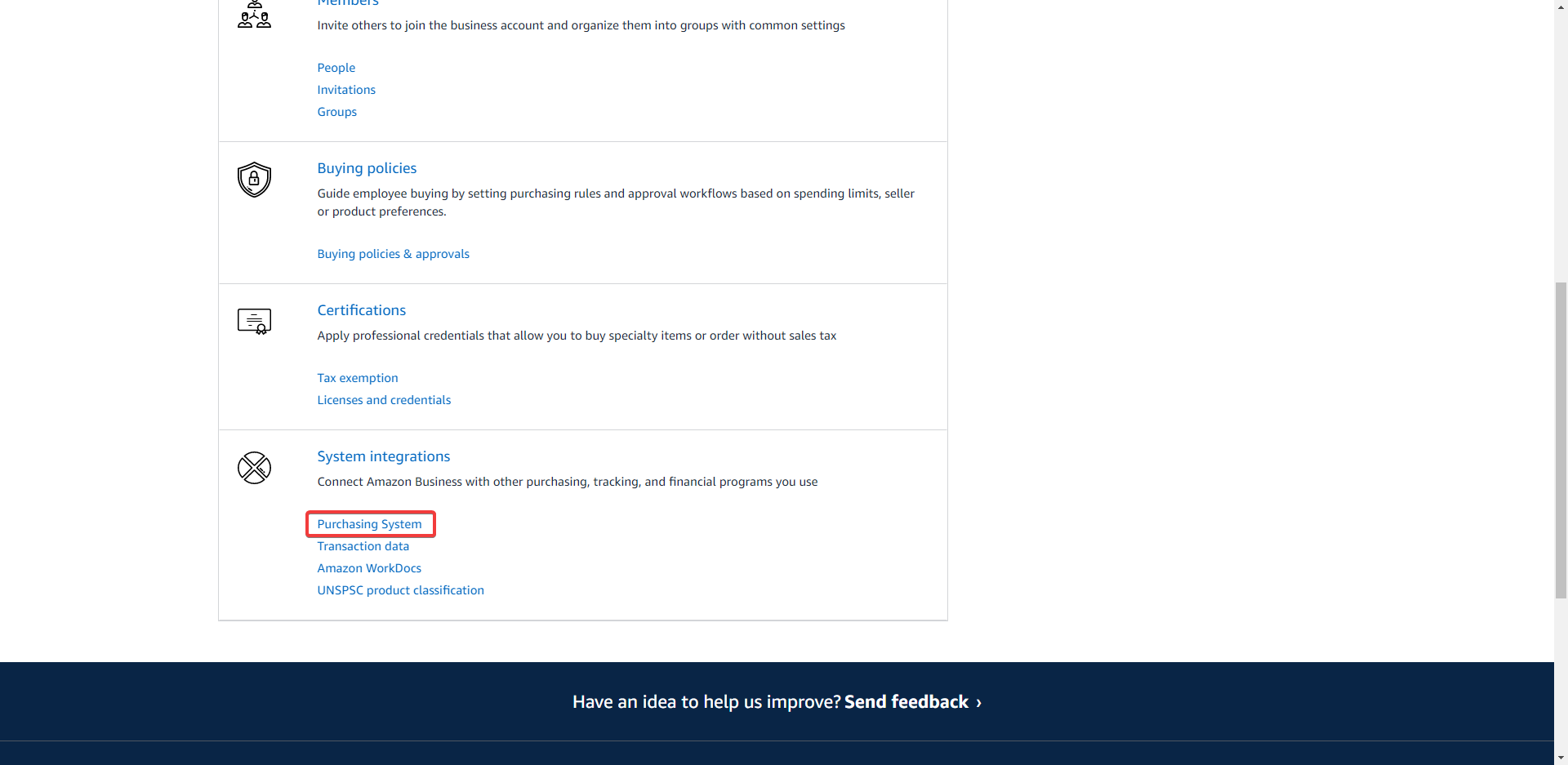
3. Under System integrations, click "Purchasing System"
4. Type in SC-StrategicSolutions in the drop down and select it
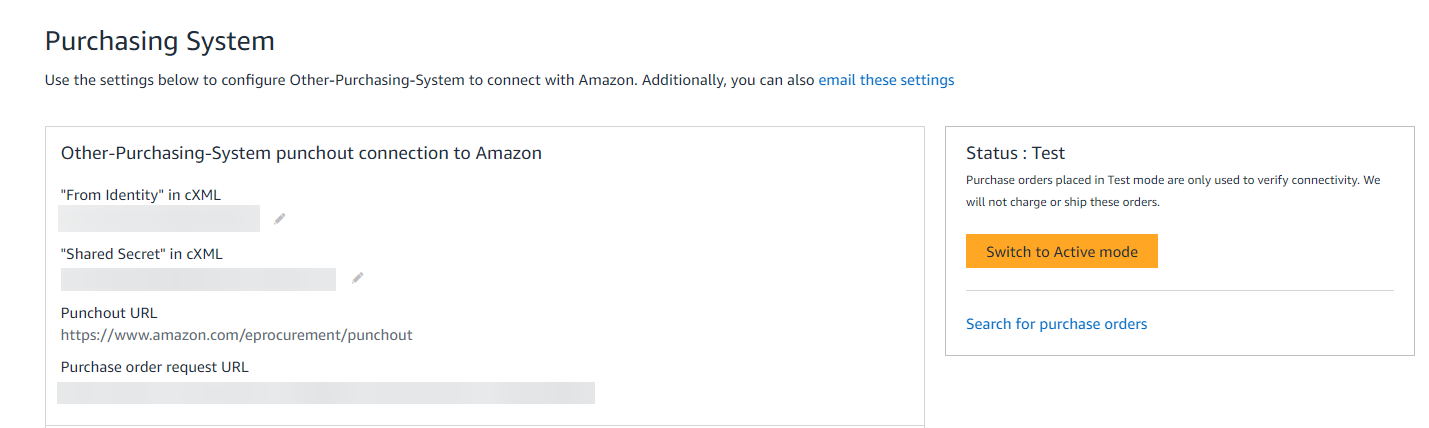
5. The following fields are what are needed:
- "From Identity" in cXML
- "Shared Secret" in cXML
- Punchout URL
- Purchase order request URL
We recommend using test mode until you have verified everything works as expected. Test will do everything but actually place the order and ship. Once you have successfully tested the connection you may then change the system to "Active Mode". Please notify SCView when you are ready to move to production.
C. Best Practices
To facilitate a smooth integration between Amazon Business and SCView:
- Keep your Amazon Business login credentials ready and ensure you have the necessary administrative rights to access business settings.
- Follow the steps provided carefully, ensuring that all required fields such as "From Identity," "Shared Secret," "Punchout URL," and "Purchase order request URL" are correctly retrieved and recorded.
- Utilize test mode for initial setup to prevent any unintended purchases and verify that the integration is functioning correctly before moving to active mode.
- Communicate with your IT department or SCV Support if you're unsure about any part of the process or need assistance.
D. Troubleshooting
If you encounter issues during the setup process:
- Double-check that you've selected the correct purchasing system in the Amazon "Purchasing System" settings.
- Verify that all copied fields are free of typing errors and that no extra spaces or characters have been inadvertently included.
- If the integration is not functioning even in test mode, reach out to SCView support for assistance and provide them with the details of the steps you have taken.
E. Related Articles
Conclusion
Connecting your Amazon Business account with SCView allows you to leverage the power of Amazon's marketplace directly within your procurement workflow. By following the steps outlined in this guide, you can enable a more efficient and integrated purchasing system. Remember to start with test mode to ensure everything is set up correctly and reach out to SCView support if needed. This integration represents a significant step forward in modernizing your procurement operations and making them more effective.
